The VP Geek Speaks
- Home /
- The VP Geek Speaks

Codex Security and the Rise of AI Reviewing AI
The next big shift in AI-assisted software development is not more code generation. It is AI for verification.
OpenAI’s new Codex Security research preview, announced in early March 2026, is a good signal of where the market is going. The product scans repositories commit by commit, builds repository-specific threat models, validates findings in isolated environments, and ranks issues with proposed fixes. OpenAI says early adopters used it to detect more than 11,000 critical and high-severity vulnerabilities while cutting false positives by more than 50%.

Why AI Is Hurting Your Best Engineers Most
The productivity story on AI coding tools has a flattering headline: senior engineers realize nearly five times the productivity gains of junior engineers from AI tools. More experience means better prompts, better evaluation of output, better use of AI on the right tasks. The gap is real and it makes sense.
But there’s a hidden cost buried in that same data. The tasks senior engineers are being asked to spend their time on are changing—and not always in ways that use their strengths well. Increasingly, the work that lands on senior engineers’ plates in AI-augmented teams is validation, review, and debugging of AI-generated code—a category of work that is simultaneously less interesting, harder than it looks, and consuming time that used to go to architecture, design, and mentorship.

The OpenAI Codex App and What Multi-Agent Development Actually Looks Like
In February 2026, OpenAI shipped a standalone Codex app. The headline is straightforward: it lets you manage multiple AI coding agents across projects, with parallel task execution, persistent context, and built-in git tooling. It’s currently available on macOS for paid ChatGPT plan subscribers.
But the headline undersells what’s actually happening. The Codex app isn’t just a better chat interface for code—it’s an early, concrete version of what multi-agent software development looks like when it arrives as a consumer product. Understanding what it actually does (and doesn’t do) matters for any team thinking seriously about AI-assisted development in 2026.
MCP: The Integration Standard That Quietly Became Mandatory
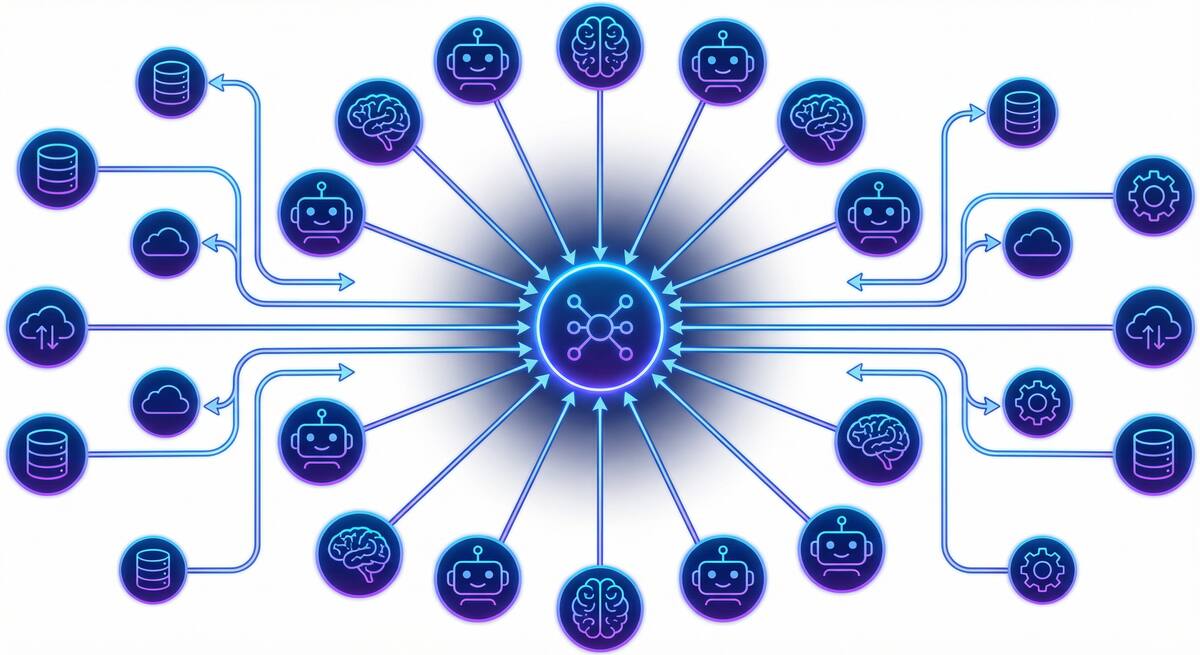
If you were paying attention to AI tooling in late 2024, you heard about the Model Context Protocol (MCP). If you weren’t, you may have missed the quiet transition from “Anthropic’s new open standard” to “the de facto integration layer for AI agents.” By early 2026, MCP has 70+ client applications, 10,000+ active servers, 97+ million monthly SDK downloads, and—in December 2025—moved to governance under the Agentic AI Foundation under the Linux Foundation. Anthropic, OpenAI, Google, Microsoft, and Amazon have all adopted it.

The Great Toil Shift: AI Didn't Remove Your Drudge Work, It Moved It
One of the clearest promises of AI coding tools was relief from developer toil: the repetitive, low-value work—debugging boilerplate, writing tests for obvious code, fixing the same style violations—that keeps engineers from doing the interesting parts of their jobs. The premise was simple: AI does the tedious parts, humans do the creative parts.
The data from 2026 tells a more nuanced story. According to Sonar’s analysis and Opsera’s 2026 AI Coding Impact Benchmark Report, the amount of time developers spend on toil hasn’t decreased meaningfully. It’s shifted. High AI users spend roughly the same 23–25% of their workweek on drudge work as low AI users—they’ve just changed what they’re doing with that time.

GitHub's Agent Control Plane: What Enterprise AI Governance Actually Looks Like
On February 26, 2026, GitHub made its Enterprise AI Controls and agent control plane generally available. The timing is notable: it came in the same week that Claude and Codex became available for Copilot Business and Pro users, and as GitHub Enterprise Server 3.20 hit release candidate. The GA isn’t a coincidence—it reflects an industry that has moved from “should we let agents into our codebase?” to “how do we govern agents that are already in our codebase?”

The PR Tsunami: What AI Code Volume Is Doing to Your Review Process
AI coding tools delivered on their core promise: developers write less, ship more. Teams using AI complete 21% more tasks. PR volume has exploded—some teams that previously handled 10–15 pull requests per week are now seeing 50–100. In a narrow sense, that’s a win.
But there’s a tax on that win that most engineering leaders aren’t accounting for: AI-generated PRs wait 4.6x longer for review than human-written code, despite actually being reviewed 2x faster once someone picks them up. The bottleneck isn’t coding anymore. It’s review capacity, and it’s getting worse as AI generation accelerates.

Vibe Coding Won. Now What?
Vibe coding went from a niche provocation to the dominant paradigm of software development in less than 18 months. Collins English Dictionary named it 2025 Word of the Year. OpenAI co-founder Andrej Karpathy coined the term in February 2025; by early 2026, approximately 92% of US developers use AI coding tools daily, and 46% of all new code is AI-generated. The adoption battle is over—vibe coding won.
So why does it feel like the victory lap is getting complicated?
SERA and the Case for Open-Source Coding Agents That Know Your Repo
If your team has tried Cursor, Copilot, or other AI coding tools and found them underwhelming on your codebase—wrong conventions, missing context, generic suggestions—you’re running into a fundamental limit: those models are trained and optimized for the average repo, not yours. In early 2026, AI2 (Allen Institute for AI) released SERA (Soft-Verified Efficient Repository Agents), an open-source family of coding agents built for something different: specialization to your repository through fine-tuning, at a cost that makes it realistic for more teams.

Cursor vs. Copilot in 2026: What Actually Matters for Your Team
By 2026 the AI coding tool war is a fixture of tech news. Cursor—the AI-native editor from a handful of MIT grads—has reached a $29.3B valuation and around $1B annualized revenue in under two years. GitHub Copilot has crossed 20 million users and sits inside most of the Fortune 100. The comparison pieces write themselves: Cursor vs. Copilot on features, price, workflow. But for teams that have adopted one or both and still don’t see clear performance benefits, the lesson from 2026 isn’t “pick the winning tool.” It’s that the tool is often the wrong place to look.
Categories
Tags
- 100pounds
- 2020
- Acp
- Adblock-Plus
- Adoption
- Agentic
- Agents
- Agile
- Ai
- Ai-Agents
- Amazon
- Apache
- Apple
- Architecture
- Audit
- Authorize-Net
- Automation
- Azure
- Benchmarks
- Bing
- Bingbot
- Blog
- Book-Reviews
- Books
- Burnout
- Business-Tools
- Cache
- Career
- Chatgpt
- Chrome
- Cicd
- Claude
- Cloudflare
- Code-Quality
- Code-Review
- Codex
- Coding
- Coding-Agents
- Compass
- Conversion
- Copilot
- Css
- Culture
- Cursor
- Cve
- Deployment
- Design-Patterns
- Developer-Experience
- Developer-Tools
- Developer-Velocity
- Development
- Disqus
- Docker
- Documentation
- Enterprise
- Fine-Tuning
- Firebase
- Firefox
- Full-Stack
- Future-of-Work
- Gemini
- Genesis-Framework
- Getting-Started
- Ghost-Tag
- Github
- Github-Copilot
- Githubpages
- Google-Slides
- Google-Workspace
- Governance
- Helper
- Hiring
- How-Not-To
- How-To
- Html
- Hugo
- Ide
- Infrastructure
- Integration
- Internet-Explorer
- Interviews
- Iphone-6
- Javascript
- Jekyll
- Jetbrains
- Jquery
- Junior-Developers
- Knowledge-Management
- Laravel
- Leadership
- Legal
- Lessons-Learned
- Llms
- Local-First
- MacOS
- Magento
- Magento 2
- Magento2
- Management
- Mcp
- Meetings
- Mental-Health
- Mentorship
- Metr
- Metrics
- Microsoft
- Models
- Moltbot
- Multi-Agent
- Mysql
- Netlify
- Nginx
- Nist
- Nodejs
- Open-Source
- Openai
- Openclaw
- Orchestration
- OSX
- Parallelization
- Performance
- Personal
- Php
- Policy
- Presentations
- Process
- Product-Development
- Productivity
- Programming
- Prompt-Injection
- Protocols
- Pull-Requests
- Python
- Quality
- Rant
- Remote-Work
- Replit
- Research
- Responsive-Web-Design
- Retrospective
- Roi
- Safari
- Sales
- Scrum
- Security
- Senior-Engineers
- Series
- Sitecatalyst
- Sota
- Sql
- Sql-Server
- Standards
- Tasks
- Teams
- Technical-Debt
- Testing
- Tier-Pricing
- Tips
- Tmobile
- Tools
- Trust
- Unittest
- Ux
- Validation
- Varnish
- Vercel
- Verification
- Vibe-Coding
- Visual-Studio
- Vs-Code
- Web-Development
- Windows-7
- Windows-Vista
- Woocommerce
- Wordpress
- Workflow
- Workflows
- Xml