Technology Strategy
Strategic technology decisions, architecture choices, and technology stack evaluation from an engineering leadership perspective.
- Home /
- Categories /
- Technology Strategy

GPT-5.4 mini in GitHub Copilot: When Smaller Models Are the Right Product Move
GitHub announced GPT-5.4 mini as generally available for GitHub Copilot in mid-March 2026, positioning it as a faster option with stronger codebase exploration characteristics.
In a market obsessed with flagship models and leaderboard scores, a GA mini model is easy to dismiss. It is actually one of the more realistic product moves in AI coding.
Not Every Task Needs the Biggest Model
Developer workflows are not one uniform difficulty distribution. A huge share of daily work is:
GitHub Copilot Goes Fully Agentic in JetBrains: Hooks, MCP, and Instruction Files
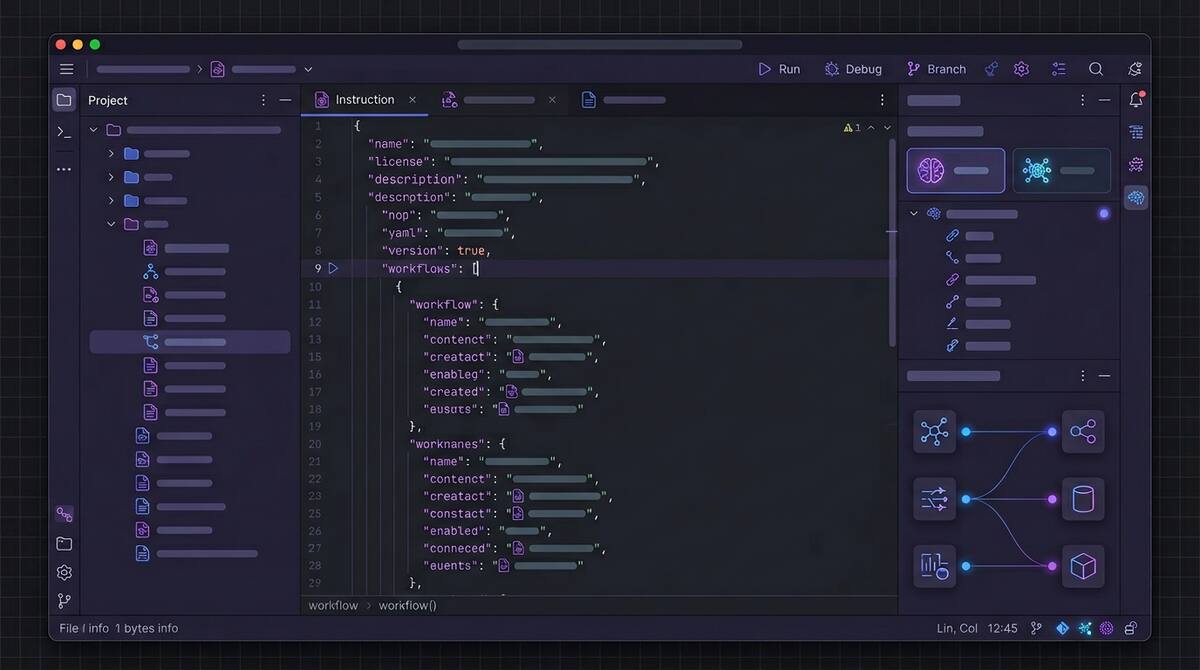
In mid-March 2026, GitHub promoted a major bundle of Copilot agentic capabilities to general availability in JetBrains IDEs, moving key features out of preview for day-to-day use.
The changelog reads like a checklist of what “serious agentic IDE support” now means:
- Custom agents and sub-agents, plus a planning-oriented agent workflow for breaking down complex work
- Agent hooks in public preview, so teams can run custom commands at defined points in an agent session
- MCP auto-approve at server and tool granularity to reduce approval friction when policies allow it
- Automatic discovery of
AGENTS.mdandCLAUDE.mdinstruction files during agent sessions - Auto model selection generally available, with Copilot choosing models based on availability and performance
- An extended reasoning experience for models that expose more explicit thinking, such as Codex-class workflows
Why JetBrains Users Should Care
JetBrains IDEs are where many teams live for deep language support, refactoring, and navigation. Agent features only matter if they meet developers in that workflow, not as a separate tool they resent switching to.

Google's Antigravity Agent in AI Studio: Full-Stack from Prompt to App
Google’s AI Studio update adding Antigravity, described in coverage as a full-stack coding agent, is part of the same wave as other vendors pushing from “generate a file” toward “generate a working application stack.”
Reports highlight several practical capabilities: turning prompts into more complete web apps, built-in Firebase integration for data and authentication, expanded framework support (including common React/Next-style stacks), session persistence across devices, and tooling to manage secrets and external service credentials more safely than copy-pasting keys into chat.

Vercel's Plugin for Coding Agents: Deployment Knowledge as Infrastructure
Vercel’s plugin for coding agents is one of those releases that sounds incremental until you notice what it is really doing: it turns deployment and edge-platform expertise into structured, reusable context that agents can invoke reliably.
According to Vercel’s announcement, the plugin bundles broad platform coverage (on the order of 47+ skills) and includes specialist agents aimed at deployment optimization scenarios, so agents are not guessing their way through framework-specific hosting details every time.

Trace Every Copilot Agent Commit Back to Its Session Logs
Agent-generated commits used to arrive like any other push: you saw the diff, but not the reasoning, tool calls, or missteps that produced it. In March 2026, GitHub tightened that story.
Copilot coding agent commits can now include an Agent-Logs-Url trailer that points reviewers back to the full session logs for that change. GitHub also highlighted live monitoring of Copilot coding agent logs through integrations such as Raycast.
This is not a flashy model upgrade. It is infrastructure for accountability.

GitHub Says Copilot's Coding Agent Starts Work 50% Faster. Here's Why That Changes the Math
In a March 2026 changelog update, GitHub reported that the Copilot coding agent starts work roughly 50% faster, with optimizations to the cloud-based development environments agents use to spin up and begin executing on a repository.
That sounds like a performance tweak. It is also a shift in how teams should think about agent economics.
Cold Start Was a Hidden Tax
For any agent that runs in an isolated or remote environment, time-to-first-action is not just latency. It is friction that shapes behavior:

The MCP Security Problem Is Really a Least-Privilege Problem
The most important security story around agent infrastructure right now is not a single CVE. It is the growing realization that MCP security is immature by default.
As of March 2026, reporting around MCP security points to more than 30 CVEs, thousands of publicly reachable servers with weak or no authentication, and a still-evolving roadmap for making the protocol more production-ready. One especially concerning figure: roughly 36% of observed MCP servers reportedly accept connections without meaningful authentication.

Why NIST's AI Agent Standards Initiative Matters Right Now
One of the most consequential AI stories this month is not a product launch. It is the NIST AI Agent Standards Initiative.
NIST launched the effort through its Center for AI Standards and Innovation to focus on security, interoperability, and identity for AI agents. The initiative is structured around three pillars: industry-led standards development, open protocol support, and security research. It already has concrete deadlines attached, including a March security request for input and an April identity concept paper.

JetBrains Air and the Case for the Agent-Native IDE
JetBrains Air, launched in public preview in early March, is one of the more interesting answers yet to a question the AI tooling market keeps circling: do we really want agents bolted onto traditional editors, or do we eventually need environments designed around them from the start?
Air is betting on the second path.
Why Air Is Interesting
Most current AI coding tools still inherit the shape of the pre-AI IDE. There is a primary editor, maybe a chat pane, maybe an agent sidebar, and the user is still clearly the central operator of a mostly traditional workspace.

Cursor Automations and the Shift from Prompting to Policy
One of the most current product shifts in AI development tooling is Cursor Automations, which turns coding agents into event-driven workflows instead of one-off assistants. The feature can trigger work from commits, Slack messages, timers, and operational events, then route the agent through review, checks, and deployment-style steps with humans only stepping in at key points.
That may sound like just another convenience layer. It is not. It reflects a deeper change in how teams are thinking about AI tooling.

VS Code's New Agent Features Show What 'Practical' Actually Means
One of the better AI tooling posts of the month came from Microsoft itself: “Making agents practical for real-world development.” That framing is useful because it captures what the market is moving toward. The interesting releases are no longer just about whether an agent can generate code. They are about whether the agent can survive contact with a messy, real workflow.
VS Code 1.110 is a good example of that shift. The March release adds native browser control for agents, better session memory, context compaction for long conversations, installable agent extensions, and a real-time Agent Debug panel. None of those features are flashy in isolation. Together, they show what “practical” now means in agentic development.

The Latest AI Code Security Benchmark Is Useful for One Reason
The newest AI code security benchmark is worth reading, but probably not for the reason most people will share it.
The headline result is easy to repeat: across 534 generated code samples from six leading models, 25.1% contained confirmed vulnerabilities after scanning and manual validation. GPT-5.2 performed best at 19.1%. Claude Opus 4.6, DeepSeek V3, and Llama 4 Maverick tied for the worst result at 29.2%. The most common issues were SSRF, injection weaknesses, and security misconfiguration.

OpenAI Symphony and the New Bottleneck: Orchestrating Agents Well
OpenAI’s new Symphony project is one of the most revealing open-source releases in the current coding-agent cycle.
At the surface level, it is an orchestration framework for autonomous software development runs. It connects to issue trackers, spins up isolated implementation runs, coordinates agents, collects proof of work, and helps land changes once they are verified. It is built in Elixir on the BEAM runtime and is clearly optimized for concurrency and fault tolerance.

GitHub Copilot's Real Upgrade Is Choice, Not Just More Models
On February 26, GitHub expanded access to Claude and Codex for Copilot Business and Copilot Pro users, following the earlier February rollout to Pro+ and Enterprise. On paper, this is a pricing and availability update. In practice, it is a product-definition change.
GitHub is turning Copilot from a branded assistant into a control surface for multiple coding agents.
Why This Is Bigger Than It Sounds
For a long time, the framing around Copilot was simple: GitHub had an assistant, and the main question was how good that assistant was. With Claude and Codex available directly inside GitHub workflows, the framing changes.

Visual Studio's Built-In Azure MCP Server Is a Bigger Deal Than It Looks
Microsoft quietly made one of the strongest enterprise bets in the current AI tooling cycle: Azure MCP Server is now built into Visual Studio 2026.
For teams already living in Microsoft’s ecosystem, this is not just another integration announcement. It is a signal that agentic workflows are moving from optional plugin territory into the default shape of mainstream enterprise development.
Why This Matters
MCP, or Model Context Protocol, is becoming the standard way AI agents connect to tools, systems, and data sources. We already knew that mattered in principle. What changes here is that Microsoft has now embedded an MCP-backed cloud workflow directly inside a flagship IDE.

Cursor in JetBrains and the End of IDE Lock-In
One of the quietest but most important developer-tooling stories of March 2026 is that Cursor is now available directly inside JetBrains IDEs through the Agent Client Protocol, or ACP, registry.
At first glance, this looks like a convenience feature. Cursor users can keep their preferred agent while staying in IntelliJ IDEA, PyCharm, or WebStorm. JetBrains users get access to a popular agentic workflow without switching editors. Nice, but not transformative.

Codex Security and the Rise of AI Reviewing AI
The next big shift in AI-assisted software development is not more code generation. It is AI for verification.
OpenAI’s new Codex Security research preview, announced in early March 2026, is a good signal of where the market is going. The product scans repositories commit by commit, builds repository-specific threat models, validates findings in isolated environments, and ranks issues with proposed fixes. OpenAI says early adopters used it to detect more than 11,000 critical and high-severity vulnerabilities while cutting false positives by more than 50%.

The OpenAI Codex App and What Multi-Agent Development Actually Looks Like
In February 2026, OpenAI shipped a standalone Codex app. The headline is straightforward: it lets you manage multiple AI coding agents across projects, with parallel task execution, persistent context, and built-in git tooling. It’s currently available on macOS for paid ChatGPT plan subscribers.
But the headline undersells what’s actually happening. The Codex app isn’t just a better chat interface for code—it’s an early, concrete version of what multi-agent software development looks like when it arrives as a consumer product. Understanding what it actually does (and doesn’t do) matters for any team thinking seriously about AI-assisted development in 2026.
MCP: The Integration Standard That Quietly Became Mandatory
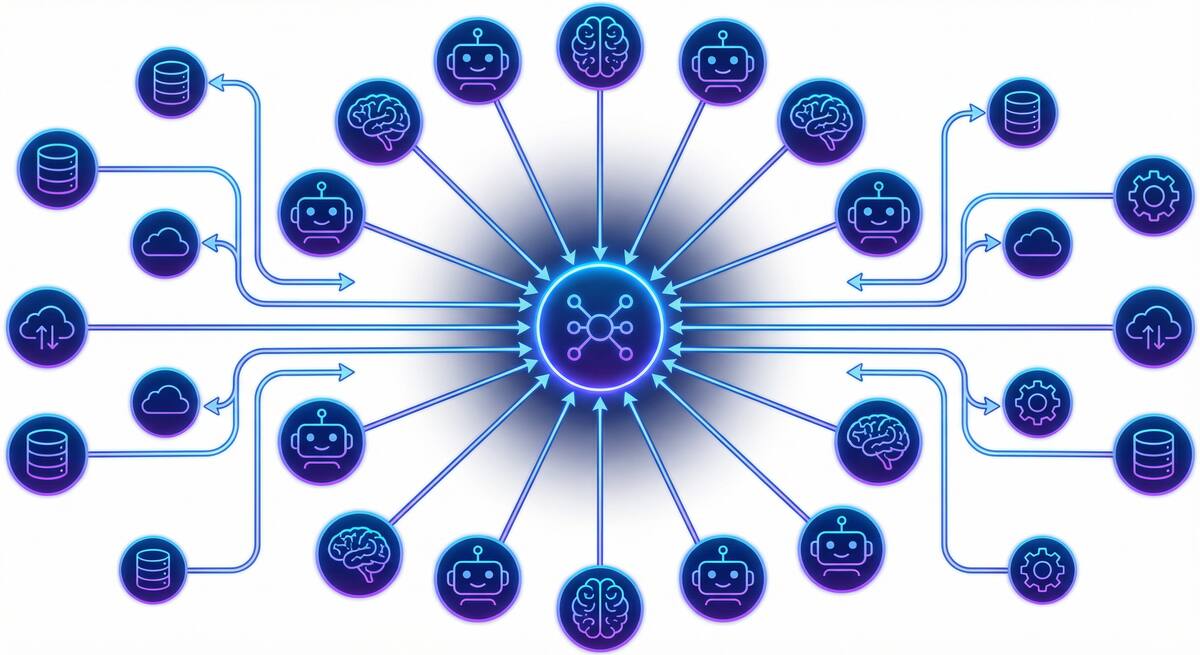
If you were paying attention to AI tooling in late 2024, you heard about the Model Context Protocol (MCP). If you weren’t, you may have missed the quiet transition from “Anthropic’s new open standard” to “the de facto integration layer for AI agents.” By early 2026, MCP has 70+ client applications, 10,000+ active servers, 97+ million monthly SDK downloads, and—in December 2025—moved to governance under the Agentic AI Foundation under the Linux Foundation. Anthropic, OpenAI, Google, Microsoft, and Amazon have all adopted it.

GitHub's Agent Control Plane: What Enterprise AI Governance Actually Looks Like
On February 26, 2026, GitHub made its Enterprise AI Controls and agent control plane generally available. The timing is notable: it came in the same week that Claude and Codex became available for Copilot Business and Pro users, and as GitHub Enterprise Server 3.20 hit release candidate. The GA isn’t a coincidence—it reflects an industry that has moved from “should we let agents into our codebase?” to “how do we govern agents that are already in our codebase?”

Vibe Coding Won. Now What?
Vibe coding went from a niche provocation to the dominant paradigm of software development in less than 18 months. Collins English Dictionary named it 2025 Word of the Year. OpenAI co-founder Andrej Karpathy coined the term in February 2025; by early 2026, approximately 92% of US developers use AI coding tools daily, and 46% of all new code is AI-generated. The adoption battle is over—vibe coding won.
So why does it feel like the victory lap is getting complicated?

SERA and the Case for Open-Source Coding Agents That Know Your Repo
If your team has tried Cursor, Copilot, or other AI coding tools and found them underwhelming on your codebase—wrong conventions, missing context, generic suggestions—you’re running into a fundamental limit: those models are trained and optimized for the average repo, not yours. In early 2026, AI2 (Allen Institute for AI) released SERA (Soft-Verified Efficient Repository Agents), an open-source family of coding agents built for something different: specialization to your repository through fine-tuning, at a cost that makes it realistic for more teams.

Cursor vs. Copilot in 2026: What Actually Matters for Your Team
By 2026 the AI coding tool war is a fixture of tech news. Cursor—the AI-native editor from a handful of MIT grads—has reached a $29.3B valuation and around $1B annualized revenue in under two years. GitHub Copilot has crossed 20 million users and sits inside most of the Fortune 100. The comparison pieces write themselves: Cursor vs. Copilot on features, price, workflow. But for teams that have adopted one or both and still don’t see clear performance benefits, the lesson from 2026 isn’t “pick the winning tool.” It’s that the tool is often the wrong place to look.

Prompt Injection Is Coming for Your Coding Agent
In early 2026, a critical vulnerability in Anthropic’s Claude Code made the rounds: CVE-2026-24887, which let an attacker bypass the user-approval prompt and execute arbitrary commands via prompt injection. Around the same time, researchers demonstrated prompt-injection-to-RCE chains in GitHub Actions—an external PR could trigger Claude Code in a workflow and, with a malicious payload in the PR title, achieve code execution with workflow privileges. Real incidents have shown agents exfiltrating SSH keys and credentials from hidden instructions in docs or comments. NIST has called prompt injection “generative AI’s greatest security flaw,” and it’s #1 on the OWASP LLM Top 10. If your team is rolling out AI coding assistants or agentic workflows, this isn’t theoretical. It’s the threat model you need to plan for.

OpenClaw in 2026: Security Reality Check and Where It Still Shines
OpenClaw (the project formerly known as Moltbot and Clawdbot) had a wild start to 2026: explosive growth, a rebrand after Anthropic’s trademark request, and adoption from Silicon Valley to major Chinese tech firms. By February it had sailed past 180,000 GitHub stars and drawn millions of visitors. Then the other shoe dropped. Security researchers disclosed critical issues—including CVE-2026-25253 and the ClawHavoc campaign, with hundreds of malicious skills and thousands of exposed instances. The gap between hype and reality became impossible to ignore.

GitHub Agentic Workflows Are Here: What They Change (and What They Don't)
In February 2026, GitHub launched Agentic Workflows in technical preview—automation that uses AI to run repository tasks from natural-language instructions instead of only static YAML. It’s part of a broader idea GitHub calls “Continuous AI”: the agentic evolution of continuous integration, where judgment-heavy work (triage, review, docs, CI debugging) can be handled by coding agents that understand context and intent.
If you’re weighing whether to try them, it helps to be clear on what they are, what they’re good for, and what stays the same.

OpenClaw for Teams That Gave Up on AI
Lots of teams have been here: you tried ChatGPT, Copilot, or a similar assistant. You used it for coding, planning, and support. After a few months, the verdict was “meh”—maybe a bit faster on small tasks, but no real step change, and enough wrong answers and extra verification that it didn’t feel worth the hype. So you dialed back, or gave up on “AI” as a productivity lever.
If that’s you, the next step isn’t to try harder with the same tools. It’s to try a different kind of tool: one built to do a few concrete jobs in your actual environment, with access to your systems and a clear way to see that it’s helping. OpenClaw (and tools like it) can be that next step—especially for teams that are struggling to see any performance benefits from AI in their software engineering workflows.

Your AI-Generated Codebase Is a Liability
If a quarter of Y Combinator startups have codebases that are over 95% AI-generated, we should probably talk about what that means when those companies get acquired, audited, or sued.
AI-generated code looks clean. It follows conventions. It passes linting. It often has reasonable test coverage. By most surface-level metrics, it appears to be high-quality software.
But underneath the polished exterior, AI-generated codebases carry risks that traditional codebases don’t. Security vulnerabilities that look correct. Intellectual property questions that don’t have clear answers. Structural problems that emerge only under stress. Dependency chains that nobody consciously chose.

OpenClaw for Engineering Teams: Beyond Chatbots
I wrote recently about using OpenClaw (formerly Moltbot) as an automated SDR for sales outreach. That post focused on a business use case, but since then I’ve been exploring what OpenClaw can do for engineering teams specifically—and the results have been more interesting than I expected.
OpenClaw has evolved significantly since its early days. With 173,000+ GitHub stars and a rebrand from Moltbot in late January 2026, it’s moved from a novelty to a genuine platform for local-first AI agents. The key differentiator from tools like ChatGPT or Claude isn’t the AI model—it’s the deep access to your local systems and the skill-based architecture that lets you build custom workflows.

Lessons from a Year of AI Tool Experiments: What Actually Worked
Over the past year, I’ve been experimenting extensively with AI tools—trying to understand what they’re actually good for, where they fall short, and how to use them effectively. I’ve written about several of these experiments: the meeting scheduling failures, the presentation generation disappointments, and most recently, setting up Moltbot as an SDR.
Looking back at all these experiments, patterns emerge. Some things consistently worked. Others consistently didn’t. And a few things surprised me in both directions.

GitHub Copilot Agent Mode: First Impressions and Practical Limits
GitHub Copilot’s agent mode represents a significant shift in how AI coding assistants work. Instead of just suggesting completions as you type, agent mode can iterate on its own code, catch and fix errors automatically, suggest terminal commands, and even analyze runtime errors to propose fixes.
This isn’t AI-assisted coding anymore. It’s AI-directed coding, where you’re less of a writer and more of an orchestrator. After spending time with this new capability, I have thoughts on what it delivers, where it falls short, and how to use it effectively.

Transforming Sales Outreach: Using Moltbot as Your AI-Powered SDR
If you’ve been following the AI space lately, you’ve probably heard about Moltbot (also known as OpenClaw)—the open-source AI assistant that skyrocketed to 69,000 GitHub stars in just one month. While most people are using it for personal productivity tasks, there’s a more intriguing use case worth exploring: setting up Moltbot as an automated Sales Development Representative (SDR) for companies.
This post explores how this approach could work, including the setup process, the potential benefits, and yes, the limitations you need to understand before diving in.
Why Netlify?
When it comes to hosting for static sites like this one, that uses Hugo, there are a few options out there now. It used to be that the default answer was to use GitHub Pages and Jekyll to host your site. There weren’t many well publicized alternatives out there that allowed you to host it all for free. Add in CloudFlare in front of GitHub Pages, and you had a well protected site that would be able to weather most issues, and be performant for most users.

When Should I Use Magento 2 Helpers?
One of the objects that developers familiar with Magento 1 will instantly recognize are helpers. When working with Magento 1, helpers proved to be a special type of object that looked similar in invocation to a singleton, but in reality it was more of a lazy way to share functionality between multiple locations. The main benefit to using a helper in Magento 1 is that it made it easier to access the __ function for translations and it was directly accessible from the template files .phtml. I’m sure many of you can relate to accessing a helper with the familiar Mage::helper('modulename');.
The Magento 2 Learning Curve
The learning curve for various products and platforms tends to vary greatly depending on the complexity of the system you are learning. For example, people that understand how to use the internet and communicate online via email or Facebook are generally able to figure out how to work with Twitter without much of an issue. On the other hand, when you are looking at the learning curve for designing airplanes that are able to carry people, it should be much more difficult to understand how to start as compared to starting to use Twitter. (Yes, I know there are people out that think learning to use Twitter is exceedingly difficult, and make paper airplanes all day long.)
The Best Way to Learn Magento 2
The very best way that I have found to figure out how to develop with Magento 2 is to write unit tests for a module. It not only requires you to figure out how to work with phpunit, but to also look at the existing codebase for examples of how the Magento 2 team works with the same objects and handles the same kinds of tasks. Once I wrote a full set of unit tests for my first Magento 2 module, I felt that I had a much better grasp of the workings of Magento 2 than I did before I started writing the unit tests.
Magento 2, Docker, and macOS don't mix
I was excited when the Docker team launched their better-integrated solution for running Docker containers on OS X this past summer. It allowed our team to switch from using full Vagrant/Virtual Box based virtual machines for local development to a much lighter-weight solution. Compared to the Vagrant setup, Magento 1 seemed to run a bit faster and require fewer resources when running in Docker.
However, when trying to setup a similar environment with Magento 2, the performance numbers didn’t quite line up when using a macOS host. I’m sure a little background as to the system setup would make things a bit more clear.
Weird Errors Running Magento 2 Unit Tests
One of the great promises with the release of Magento 2 was that the core codebase would ship with unit tests built in so that you could have some way to be able to tell if you did something to break the site long before you ever pushed your code to production. In reality, though, since you should never directly edit the core files, instead only override their functionality, as a Magento 2 developer, there is little that you should be able to do that will cause the shipped tests to fail. Instead, the testing framework for unit tests makes it much easier for the extension developers and customizers to be able to unit test their custom code to ensure that the code does exactly what they expect it to.
Magento 2.1.3 Upgrade Static Files Not Loading
Magento just released an update to the latest version of their ecommerce platform to up the version from 2.1.2 to 2.1.3. There are a few differences between the versions, and one of those differences relates to the handling of the static files and what method is used to bust the cache of browsers to ensure users get the latest code whenever changes are deployed. Unfortunately, this upgrade by default breaks sites that aren’t aware of the changes needed to make this work properly.
Don't Use MongoDB For The Wrong Things
The early phases of a greenfield project always seem to conjure up grand ideas of how to use the hottest new technologies to accomplish your goals. Many times, these grandiose plans give way to a more level-headed design discussion where more realistic technologies are adopted. However, there are a few times where the developer with the idea to use the hottest new technology is the one in charge, and ends up getting his way.
Verify Magento User Access to Admin Functionality
When working with Magento, there will inevitably come a time where you need to manually check to see if the currently logged-in user has access to a specific piece of functionality as defined in the ACL settings. Personally, I have come across this situation more often when creating my own custom modules and their custom permissions, but they can be used to check the permissions of any module.
As is so often the case, Alan Storm has documented the exact solution for this scenario. Lets say that your ACL configuration is setup as it is below…
Never Explicitly Trust Software Because It Is Open-Source
One of the major ideas behind open source projects is that allowing anyone that wants to view the source code of a project to be able to do so should make bugs and security weaknesses easy to find. While this did not work so well with OpenSSL and its various bugs that have been exposed recently, I do have an example where it worked extremely well.
Magento is an eCommerce platform that has two separate editions. One is a completely open-source and free as in beer Community edition. The other is a somewhat expensive Enterprise Edition. There is a large community of Magento developers that create extentions, or addons, for these two editions of Magento.
Authenticate Magento Admin Users
Magento’s admin interface allows you to do the vast majority of everything that you would ever want to do to manage your eCommerce website. However, there are times when the rigidity of the framework makes it difficult for developers to appropriately customize a layout.
One of the things that we have done to combat these limitations is to create a new administration section of the website specifically for the use of developers and other advanced administrators of the site. In order to do this as seamlessly as possible, one of the requirements was to enable current admin users to use the same authenticated session across the standard Magento admin and our new custom admin systems.
The Amazing Magento Configuration
At the heart of every piece of PHP in Magento is the XML configuration files that tell core Magento code where to find functions and what to do with them. It seems to be the biggest hurdle that most developers face when they begin developing with Magento.
When going through a bit of code recently, I discovered something in the configuration that looks like it should have never worked, but amazingly enough, has worked without issue the entire time it has been in place. Let’s see if you spot the bit of strangeness.
Magento's preDispatch Observer
One of the decisions that always seems to arise when adding functionality to a Magento website is what the best strategy is for doing so. Should you override the controller or function, edit it in place, or use an observer to listen for a particular event to occur.
It just so happens that if you want to make sure that you have some sort of validation logic that runs before a particular controller action is executed, the easiest way to implement it is via a preDispatch observer. The other aspect of preDispatch controllers is that they can be configured to listen only for preDispatch events from a particular module, or they can listen for preDispatch events from every module, allowing you to add some password expiration policies to the adminhtml side of your website, for example.
5 Ways to Keep Your Nude Pictures Secure
With the recent revelation that there was a massive release of naked or revealing photographs of many female celebrities, it seems to be an important time to remind people how to make sure private photos and other information don’t get shared all around the internet without your permission. As a result, here are my top 5 ways to keep your nude pictures secure.
Don’t Take Nude Selfies - Yes, the best and easiest way to keep your naked selfies out of the sight for the public viewers on the internet is to never take a naked selfie in the first place. Just don’t do it.
Hackers Exploiting Gullible Magento Site Administrators
Nexcess recently released a report of a Recent Exploit using Fake Magento Extensions was able to skim credit card information from affected Magento websites. While it seems that some of the stores were breached by correctly guessing simple admin usernames and passwords, others seemed to be the result of site administrators installing Magento Extensions that included backdoors that gave the hackers remote access to the website. Once the backdoor was installed, the hackers went on to modify core Magento files, ensuring that when a credit card order was placed, the credit card information would be saved to a text file that was hidden with an image file name extension .jpg, .gif, .bmp and saved in the /media directory, allowing the hackers, and anyone else on the internet to download the credit card information.
Orphaned Attribute Data in Magento
Its always entertaining to look at the source of an application that originates from outside your organization. It frequently highlights ways of using technology I was not familiar with beforehand, and sometimes leaves me shaking my head in disgust. I initially started looking at a relatively new third-party module thinking that I would find some sort of major bug that was causing the issues the site was experiencing, but was surprised to find that was not the case.
Unintended Consequences with Magento Observers on Sales Orders
Anyone that uses Magento to place orders will be hard-pressed to consider this process a speedy one. While it takes a while to process the order under the best of circumstances, there are a few things that you can do that actually make it worse.
One of those things that can make it worse is creating an observer that runs in the middle of the saving of the order processes that is always slow-running, or continues to get slower over time as the data that the Magento site grows. While the observer may run well at first, over time as the data grows, some random symptoms may show up, including database deadlocks and even some missing sales orders.
Magento Version 2, is it just Microsoft Windows Longhorn AKA Vista?
Magento version 2 was first introduced in 2010. It is now almost halfway through 2014, and the public has not seen any alpha or beta release of Magento version 2 as of yet. The new version of Magento promised to replace PrototypeJS and Scriptaculus with jQuery as well as reorganize the database schema to remove the slow EAV tables and migrate to a bit of a flatter table structure. However, it seems that the latest updates on the direction for Magento 2 show that the database schema will not be changed much after all.
Magento appending __SID to URLs
When trying to fully optimize a Magento website to run as fast as possible, I tend to opt for turning on all of the caching options in Magento, and then put the Varnish caching server in front of the web server with the Turpentine plugin. However, when you do this with some configurations, you start seeing the __SID query string parameter added to the end of the site’s url. Unfortunately, when the Turpentine plugin sees the __SID query string in the URL, it means that this page request will bypass the cache and load it directly from the server, slowing things down.
Magento Adminhtml and Relative Links to Static Resources
Relative links in URLs allow you to only specify the path to an resource that is in the same or subfolder of the current folder. Lets say the current page you are on is http://example.com/test/ and you want to reference an image at http://example.com/test/image.jpg. You could put the full http://example.com/test/image.jpg in the src attribute of the img tag, or you could use just image.jpg instead. This works well when you are not sure what the directory path is the parent directory of your code. However, it can cause some issues when your code is moved to another location, but some resources are not moved, such as image.jpg.
Saving Products in Magento Deletes Tier Pricing
Magento’s framework makes many things simple to accomplish when working with the products and categories of your eCommerce website. However, I have found one scenario that doesn’t exactly work as expected.
Tier Pricing in Magento
Magento allows you to setup custom pricing levels based upon the quantity purchased. You set the minimum quantity purchased to enable the lower price when the part is added to the customer’s cart. You could see where losing the tiered pricing for an entire catalog of products would be a big deal for a site.
Creating a Best-Sellers Category with Magento
Magento allows you to organize products in categories, and a single product can be a member of quite a few separate categories. As a result, you can create a category that is specifically for your top selling products. You could manually keep track of which products sell the best, either by number of sales completed, or by the actual quantity of each product that were sold. If you want to spend all your time managing this category, then this is the way to go. However, there is a much easier way to manage the products in the category.
Login Problems with Magento and Varnish
When you have a Magento website configured to use Varnish as a caching frontend, there are certain scenarios where you may have some problems logging-in to the frontend of the website. It poses some unique problems that are not frequently seen on a typical website. This issue typically manifests itself to the end user by visiting the login page, entering the correct credential, submitting the form, and then the page reloads the login page again instead of redirecting to the My Account page or whatever page is specified in the configuration.
Magento FrontName Naming and SSL/HTTPS
One of the things that has always been an issue for sites that are based on Magento is that they are slow. Well, to be fair, sites using Magento Enterprise Edition that take advantage of the built-in full-page caching functionality seem to have decent page load times. One way to take care of this slow load time issue is to utilize a third-party full-page caching solution such as what Varnish provides.
Categories
Tags
- 100pounds
- 2020
- Acp
- Adblock-Plus
- Adoption
- Agentic
- Agents
- Agile
- Ai
- Ai-Agents
- Amazon
- Apache
- Apple
- Architecture
- Audit
- Authorize-Net
- Automation
- Azure
- Benchmarks
- Bing
- Bingbot
- Blog
- Book-Reviews
- Books
- Burnout
- Business-Tools
- Cache
- Career
- Chatgpt
- Chrome
- Cicd
- Claude
- Cloudflare
- Code-Quality
- Code-Review
- Codex
- Coding
- Coding-Agents
- Compass
- Conversion
- Copilot
- Css
- Culture
- Cursor
- Cve
- Deployment
- Design-Patterns
- Developer-Experience
- Developer-Tools
- Developer-Velocity
- Development
- Disqus
- Docker
- Documentation
- Enterprise
- Fine-Tuning
- Firebase
- Firefox
- Full-Stack
- Future-of-Work
- Gemini
- Genesis-Framework
- Getting-Started
- Ghost-Tag
- Github
- Github-Copilot
- Githubpages
- Google-Slides
- Google-Workspace
- Governance
- Helper
- Hiring
- How-Not-To
- How-To
- Html
- Hugo
- Ide
- Infrastructure
- Integration
- Internet-Explorer
- Interviews
- Iphone-6
- Javascript
- Jekyll
- Jetbrains
- Jquery
- Junior-Developers
- Knowledge-Management
- Laravel
- Leadership
- Legal
- Lessons-Learned
- Llms
- Local-First
- MacOS
- Magento
- Magento 2
- Magento2
- Management
- Mcp
- Meetings
- Mental-Health
- Mentorship
- Metr
- Metrics
- Microsoft
- Models
- Moltbot
- Multi-Agent
- Mysql
- Netlify
- Nginx
- Nist
- Nodejs
- Open-Source
- Openai
- Openclaw
- Orchestration
- OSX
- Parallelization
- Performance
- Personal
- Php
- Policy
- Presentations
- Process
- Product-Development
- Productivity
- Programming
- Prompt-Injection
- Protocols
- Pull-Requests
- Python
- Quality
- Rant
- Remote-Work
- Replit
- Research
- Responsive-Web-Design
- Retrospective
- Roi
- Safari
- Sales
- Scrum
- Security
- Senior-Engineers
- Series
- Sitecatalyst
- Sota
- Sql
- Sql-Server
- Standards
- Tasks
- Teams
- Technical-Debt
- Testing
- Tier-Pricing
- Tips
- Tmobile
- Tools
- Trust
- Unittest
- Ux
- Validation
- Varnish
- Vercel
- Verification
- Vibe-Coding
- Visual-Studio
- Vs-Code
- Web-Development
- Windows-7
- Windows-Vista
- Woocommerce
- Wordpress
- Workflow
- Workflows
- Xml