Industry Insights
Technology trends, industry commentary, career reflections, and personal insights from the engineering leadership journey.
- Home /
- Categories /
- Industry Insights

Replit Agent 4 and the Parallel Build Future
Replit’s Agent 4 launch, framed around creativity and speed, includes a product shape that is becoming common in 2026: parallel agent execution across different parts of an application, such as authentication, database work, and UI, with the intent that those streams merge back into a single product.
That is not just a marketing story. It is an architectural bet about how software gets built when generation is cheap and coordination is expensive.

Google's Antigravity Agent in AI Studio: Full-Stack from Prompt to App
Google’s AI Studio update adding Antigravity, described in coverage as a full-stack coding agent, is part of the same wave as other vendors pushing from “generate a file” toward “generate a working application stack.”
Reports highlight several practical capabilities: turning prompts into more complete web apps, built-in Firebase integration for data and authentication, expanded framework support (including common React/Next-style stacks), session persistence across devices, and tooling to manage secrets and external service credentials more safely than copy-pasting keys into chat.

JetBrains Air and the Case for the Agent-Native IDE
JetBrains Air, launched in public preview in early March, is one of the more interesting answers yet to a question the AI tooling market keeps circling: do we really want agents bolted onto traditional editors, or do we eventually need environments designed around them from the start?
Air is betting on the second path.
Why Air Is Interesting
Most current AI coding tools still inherit the shape of the pre-AI IDE. There is a primary editor, maybe a chat pane, maybe an agent sidebar, and the user is still clearly the central operator of a mostly traditional workspace.

The Latest AI Code Security Benchmark Is Useful for One Reason
The newest AI code security benchmark is worth reading, but probably not for the reason most people will share it.
The headline result is easy to repeat: across 534 generated code samples from six leading models, 25.1% contained confirmed vulnerabilities after scanning and manual validation. GPT-5.2 performed best at 19.1%. Claude Opus 4.6, DeepSeek V3, and Llama 4 Maverick tied for the worst result at 29.2%. The most common issues were SSRF, injection weaknesses, and security misconfiguration.

Why AI Is Hurting Your Best Engineers Most
The productivity story on AI coding tools has a flattering headline: senior engineers realize nearly five times the productivity gains of junior engineers from AI tools. More experience means better prompts, better evaluation of output, better use of AI on the right tasks. The gap is real and it makes sense.
But there’s a hidden cost buried in that same data. The tasks senior engineers are being asked to spend their time on are changing—and not always in ways that use their strengths well. Increasingly, the work that lands on senior engineers’ plates in AI-augmented teams is validation, review, and debugging of AI-generated code—a category of work that is simultaneously less interesting, harder than it looks, and consuming time that used to go to architecture, design, and mentorship.

The Great Toil Shift: AI Didn't Remove Your Drudge Work, It Moved It
One of the clearest promises of AI coding tools was relief from developer toil: the repetitive, low-value work—debugging boilerplate, writing tests for obvious code, fixing the same style violations—that keeps engineers from doing the interesting parts of their jobs. The premise was simple: AI does the tedious parts, humans do the creative parts.
The data from 2026 tells a more nuanced story. According to Sonar’s analysis and Opsera’s 2026 AI Coding Impact Benchmark Report, the amount of time developers spend on toil hasn’t decreased meaningfully. It’s shifted. High AI users spend roughly the same 23–25% of their workweek on drudge work as low AI users—they’ve just changed what they’re doing with that time.

Vibe Coding Won. Now What?
Vibe coding went from a niche provocation to the dominant paradigm of software development in less than 18 months. Collins English Dictionary named it 2025 Word of the Year. OpenAI co-founder Andrej Karpathy coined the term in February 2025; by early 2026, approximately 92% of US developers use AI coding tools daily, and 46% of all new code is AI-generated. The adoption battle is over—vibe coding won.
So why does it feel like the victory lap is getting complicated?

Why Mandating AI Tools Backfires: Lessons from Amazon and Spotify
Two stories dominated the AI-and-work conversation in early 2026. Amazon told its engineers that 80% had to use AI for coding at least weekly—and that the approved tool was Kiro, Amazon’s in-house assistant, with “no plan to support additional third-party AI development tools.” Around the same time, Spotify’s CEO said the company’s best engineers hadn’t written code by hand since December; they generate code with AI and supervise it. Both were framed as the future. Both also illustrate why mandating AI tools is a bad way to get real performance benefits, especially for teams that are already skeptical or struggling to see gains.

OpenClaw in 2026: Security Reality Check and Where It Still Shines
OpenClaw (the project formerly known as Moltbot and Clawdbot) had a wild start to 2026: explosive growth, a rebrand after Anthropic’s trademark request, and adoption from Silicon Valley to major Chinese tech firms. By February it had sailed past 180,000 GitHub stars and drawn millions of visitors. Then the other shoe dropped. Security researchers disclosed critical issues—including CVE-2026-25253 and the ClawHavoc campaign, with hundreds of malicious skills and thousands of exposed instances. The gap between hype and reality became impossible to ignore.

The METR Study One Year Later: When AI Actually Slows Developers
In early 2025, METR (Model Evaluation and Transparency Research) ran a randomized controlled trial that caught the industry off guard. Experienced open-source developers—people with years on mature, high-star repositories—were randomly assigned to complete real tasks either with AI tools (Cursor Pro with Claude) or without. The result: with AI, they took 19% longer to finish. Yet before the trial they expected AI to make them about 24% faster, and after it they believed they’d been about 20% faster. A 39-point gap between perception and reality.

The Trust Collapse: Why 84% Use AI But Only 33% Trust It
Usage of AI coding tools is at an all-time high: the vast majority of developers use or plan to use them. Trust in AI output, meanwhile, has fallen. In recent surveys, only about a third of developers say they trust AI output, with a tiny fraction “highly” trusting it—and experienced developers are the most skeptical.
That gap—high adoption, low trust—explains a lot about why teams “don’t see benefits.” When you don’t trust the output, you verify everything. Verification eats the time AI saves, so net productivity is flat or negative. Or you use AI only for low-stakes work and conclude it’s “not for real code.” Either way, the team doesn’t experience AI as a performance win.

OpenClaw for Teams That Gave Up on AI
Lots of teams have been here: you tried ChatGPT, Copilot, or a similar assistant. You used it for coding, planning, and support. After a few months, the verdict was “meh”—maybe a bit faster on small tasks, but no real step change, and enough wrong answers and extra verification that it didn’t feel worth the hype. So you dialed back, or gave up on “AI” as a productivity lever.
If that’s you, the next step isn’t to try harder with the same tools. It’s to try a different kind of tool: one built to do a few concrete jobs in your actual environment, with access to your systems and a clear way to see that it’s helping. OpenClaw (and tools like it) can be that next step—especially for teams that are struggling to see any performance benefits from AI in their software engineering workflows.

Why Your Team Isn't Seeing AI Benefits (And It's Not the Tools)
You rolled out AI coding tools. You got licenses, ran the demos, and encouraged the team to try them. Months later, the feedback is lukewarm: “We use it sometimes.” “It’s okay for small stuff.” “I’m not sure it’s actually faster.” Nobody’s seeing the dramatic productivity gains the vendor promised.
If this sounds familiar, you’re not alone. Research shows that while 84% of developers use or plan to use AI tools, only 55% find them highly effective—and trust in AI output has dropped sharply. Adoption doesn’t equal impact. The gap between “we have AI” and “AI is helping us ship better, faster” is where most teams get stuck.

Will Junior Developers Survive the AI Era?
Every few months, I see another hot take claiming that junior developer roles are dead. AI can write code faster than entry-level developers, the argument goes, so why would companies hire someone who’s slower and less reliable than Copilot?
It’s a scary narrative if you’re early in your career. It’s also wrong—but not entirely wrong, which makes it worth examining carefully.
Junior developers aren’t becoming obsolete. But the path into the profession is changing, and both new developers and the leaders who hire them need to understand how.

The AI Burnout Paradox: When Productivity Tools Make Developers Miserable
Here’s an irony that nobody predicted: AI tools designed to make developers more productive are making some of them more miserable.
The promise was straightforward. AI handles the tedious parts of coding—boilerplate, repetitive patterns, documentation lookup—freeing developers to focus on the interesting, creative work. Less toil, more thinking. Less grinding, more innovating.
The reality is more complicated. Research shows that GenAI adoption is heightening burnout by increasing job demands rather than reducing them. Developers report cognitive overload, loss of flow state, rising performance expectations, and a subtle but persistent feeling that their work is being devalued.

Vibe Coding: The Most Dangerous Idea in Software Development
Andrej Karpathy—former director of AI at Tesla and OpenAI co-founder—coined a term last year that’s become the most divisive concept in software development: “vibe coding.”
His description was disarmingly casual: an approach “where you fully give in to the vibes, embrace exponentials, and forget that the code even exists.” In practice, it means letting AI tools take the lead on implementation while you focus on describing what you want rather than how to build it. Accept the suggestions, trust the output, don’t overthink the details.

OpenClaw for Engineering Teams: Beyond Chatbots
I wrote recently about using OpenClaw (formerly Moltbot) as an automated SDR for sales outreach. That post focused on a business use case, but since then I’ve been exploring what OpenClaw can do for engineering teams specifically—and the results have been more interesting than I expected.
OpenClaw has evolved significantly since its early days. With 173,000+ GitHub stars and a rebrand from Moltbot in late January 2026, it’s moved from a novelty to a genuine platform for local-first AI agents. The key differentiator from tools like ChatGPT or Claude isn’t the AI model—it’s the deep access to your local systems and the skill-based architecture that lets you build custom workflows.

Lessons from a Year of AI Tool Experiments: What Actually Worked
Over the past year, I’ve been experimenting extensively with AI tools—trying to understand what they’re actually good for, where they fall short, and how to use them effectively. I’ve written about several of these experiments: the meeting scheduling failures, the presentation generation disappointments, and most recently, setting up Moltbot as an SDR.
Looking back at all these experiments, patterns emerge. Some things consistently worked. Others consistently didn’t. And a few things surprised me in both directions.

From Code Writer to AI Orchestrator: The Changing Developer Role
There’s a narrative circulating in tech circles: developers are evolving from “code writers” to “AI orchestrators.” The story goes that instead of typing code ourselves, we’ll direct AI agents that write code for us. Our job becomes coordination, review, and high-level direction rather than implementation.
It’s a compelling vision. It’s also significantly oversimplified.
Research shows that developers can currently “fully delegate” only 0-20% of tasks to AI. That’s not nothing, but it’s far from the wholesale transformation some predict. The reality of how developer roles are changing is more nuanced—and more interesting—than the hype suggests.

The AI Productivity Paradox: Why Experienced Developers Are Slowing Down
There’s something strange happening in software development right now, and I think we need to talk about it.
Recent research has surfaced a troubling finding: experienced developers working on complex systems are actually 19% slower when using AI coding tools—despite perceiving themselves as working faster. This isn’t a minor discrepancy. It’s a fundamental disconnect between how productive we feel and how productive we actually are.
As someone who’s been experimenting with AI tools extensively (and writing about the results), this finding resonates with my experience. Let me break down what’s happening and what it means for engineering teams.

Transforming Sales Outreach: Using Moltbot as Your AI-Powered SDR
If you’ve been following the AI space lately, you’ve probably heard about Moltbot (also known as OpenClaw)—the open-source AI assistant that skyrocketed to 69,000 GitHub stars in just one month. While most people are using it for personal productivity tasks, there’s a more intriguing use case worth exploring: setting up Moltbot as an automated Sales Development Representative (SDR) for companies.
This post explores how this approach could work, including the setup process, the potential benefits, and yes, the limitations you need to understand before diving in.

AI Agents and Google Slides: When Promise Meets Reality
I’ve been experimenting with AI agents to help create Google Slides presentations, and I’ve discovered something interesting: they’re great at the planning and ideation phase, but they completely fall apart when it comes to actually delivering on their promises.
The Promising Start
I’ve had genuinely great success using ChatGPT to help with presentation planning. I’ll start a conversation about my presentation topic, share the core material I want to cover, and ChatGPT does an excellent job of:
When AI Assistants Fail: The Meeting Scheduling Reality Check
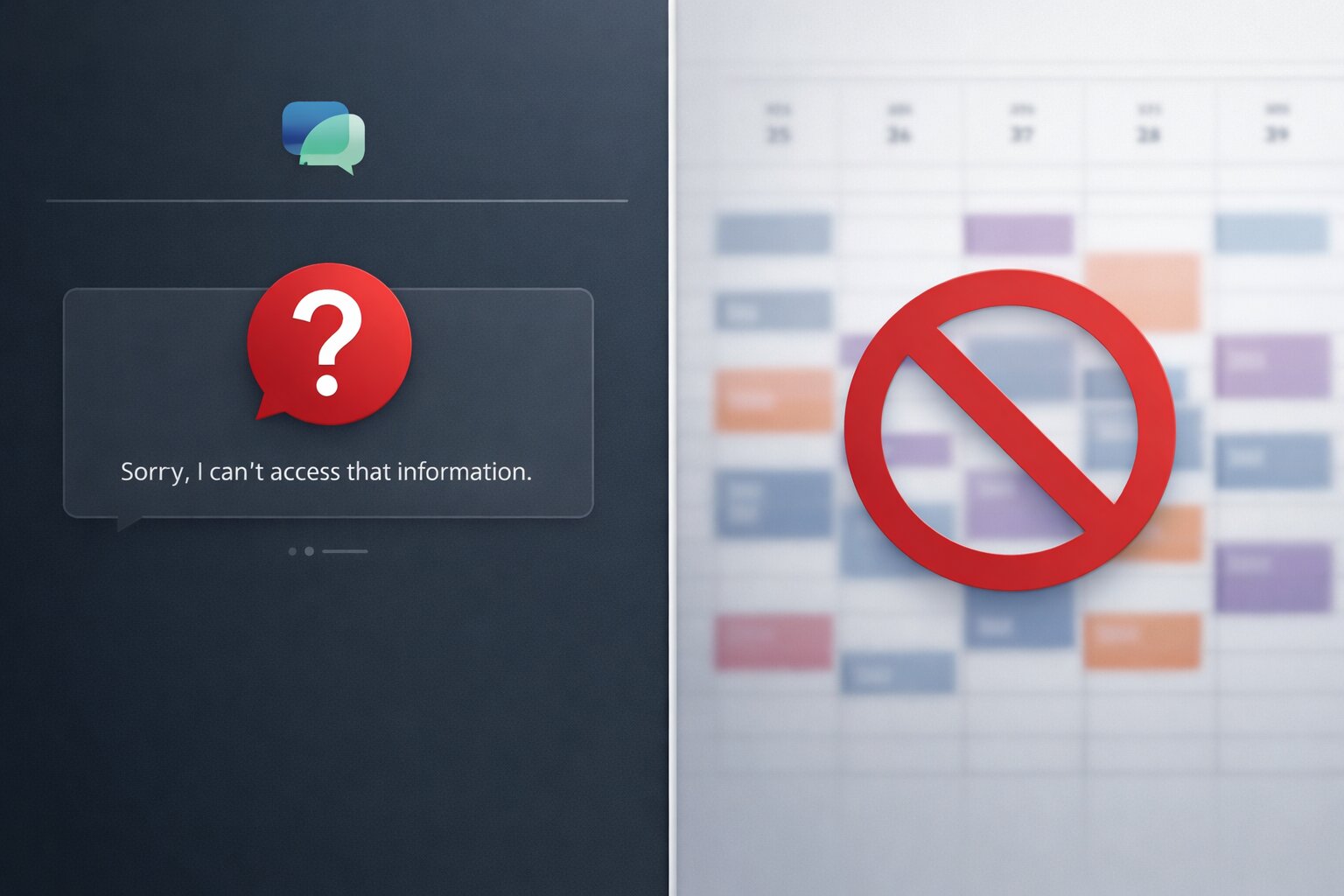
I recently tried to use AI assistants to solve what should be a straightforward problem: scheduling a meeting with three other people at my office. We’re all Google Workspace users, so I figured this would be a perfect use case for AI—especially given all the hype about AI assistants being able to handle calendar management and scheduling.
Spoiler alert: both ChatGPT and Gemini failed spectacularly.
The ChatGPT Experience
I started with ChatGPT, thinking it would be able to help coordinate schedules. My request was simple: find a time that works for me and three colleagues for a meeting.

Reading as a Stress Indicator
I’ve noticed something interesting about my reading habits over the years: the amount I read directly correlates with how stressed or busy I am. When life is calm and manageable, I devour books. When things get hectic, my reading drops off dramatically.
This isn’t just a casual observation—it’s become a reliable barometer for my mental state. During periods of high stress or overwhelming workloads, I find myself reaching for books less and less. The stack on my nightstand grows taller, bookmarks stay in the same place for weeks, and my reading backlog continues to pile up.
New How Not To Series
Welcome to the newest series on The Geek Speaks, How Not To. The focus of this series will be to highlight some of the things that should be avoided when running development teams. It is from a developer’s perspective that has spent time working extensively in support, product management, and team leadership, and will cover some of the things that I have seen companies do poorly. In addition, I will also highlight some of the things that you can do that undermine the things you can do well as seen in the How To Series.
New How To Series
Welcome to the newest series on The Geek Speaks, How To. The focus of this series will be to highlight some of the best practices for how to run development teams. It is from a developer’s perspective that has spent time working extensively in support, product management, and team leadership, and will cover some of the things that I have seen companies do well. In addition, I will also highlight some of the things that you can do to counteract those things you shouldn’t be doing, as seen in the How Not To series.
A Look Back at 2020
What a year it was. 2020 was a year that we will all look back on as being completely unique. As far as memorable years, it’s right up there with the events of September 11, 2001, though these events have persisted for the majority of the year instead of a more focused impact.
Professional
When I look back at everything that happened professionally, it truly is a lot. After starting the year working through the final days of removing a member of my team, which had all its own challenges related to interpersonal relationships and stressors that the process wasn’t happening as fast as I and other members of the team would have preferred. I had hoped that once that was complete, the rest of the year would smooth out and get a bit easier. However, that really wasn’t the case. Instead, meetings with our consulting company, before ultimately discontinuing the usage of the company made for some interesting days.
Goodbye Jekyll, Hello Hugo
If you’ve been paying attention to this site, you would have noticed that the blog has been going through some updates for a while. Hopefully those are taken care of for the moment, but the biggest thing thats changed is the platform running the site. This started out as a self-hosted Ghost site, then a GhostPro site, and then a site running on GitHub Pages via Jekyll. However, due to the requirements of site previews and building Jekyll locally, it’s caused updates to be more difficult than they should be.
What is Jekyll, and where have I been?
It has been a while since the last time this blog was updated, and I thought it was time that changed. The plan is to make sure to regularly update the site so that it doesn’t become completely stale, but its obvious the best of intentions don’t work unless they do, so here’s to something.
I’m sure if you have seen the site before, you will notice that the design has changed to look a bit different than it was in the past. That really just has to do with the platform of the site, which historically has been a Ghost powered blog. However, after using Jekyll for a few other projects, writing posts in Markdown with a static site generator has become quite attractive to me, and as a result, this blog is now using Jekyll for the management of the posts. One of the nice side effects of using Jekyll for the site is that you are able to take advantage of Github Pages for free hosting of your site. From what I have seen, the performance of sites using their infrastructure works wonderfully and always seems to be quick.
Social-Buttons.Com Spams Google Analytics
Typically when you see traffic in Google Analytics, you can be sure that it is legitimate traffic to your website. However, there are a few known spammers out there that successfully spam Google Analytics tracking codes with bogus visits, hoping that the Analytics users visit the site that is supposedly “referring” traffic. One such domain that is being used for this is Social-Buttons.com.
I have just begun to see traffic in Google Analytics from Social-Buttons.com in the middle part of March 2015, and if you look at the Google Trends statistics for search terms of Social-Buttons.com, you can see that there is a spike in searches for Social-Buttons.com in March 2015 from a baseline of 0 searches prior to March 2015.
Another Micro-Optimization Provides Useless Results
One of the things to remember about performance optimizations performed in isolation is that their results are rarely representative of real-world performance results. This article outlines the “findings” of the students at a couple of Canadian universities, and comes to the conclusion that string concatenation in memory is slower than writing the same total number of bytes to disk, one after the other.
String concatenation is a slow and CPU-heavy operation. It drastically affects Micro-Optimization testing when both algorithms do not utilize it.
Laravel Removed The QuickStart For Version 5
To start out, I want to be clear that what follows should not be interpreted to be a criticism of the software framework that those that work on Laravel publish, nor an indictment of open-source software as a whole. Rather, it is a look at how some projects, open or closed source make it harder than it should be for new users/developers to utilize their terrific products.
It seems experts conveniently “forget” the tips and tricks and tribulations it takes to learn a new technology, covering it all with, “It’s just so easy”.
Google Chrome Improves JavaScript Speeds Again
One of the old rules of optimizing website load times for all browsers was that the browser didn’t begin to parse the downloaded JavaScript until each file was downloaded. Starting with Chrome 41, Google has announced that this is no longer the case.
In this announcement, Google has said that new versions of Chrome will begin parsing JavaScript as it is downloaded to the browser, even before the particular file’s download is complete. However, in order to see this happen more quickly, you must utilize the async or deferred tags in the <script> tag. JavaScript that is loaded without async or deferred is still a completely blocking action that pauses all rendering while downloading and parsing the JavaScript files. According to Google, this can improve website load time by up to 10%.
Google To Begin Rewarding Mobile-Friendly Websites
Google recently announced that beginning April 21, 2015, they would start slightly rewarding websites that are mobile-friendly at the expense of sites that are not. There are several things that Google looks at to determine whether or not a site is easy for a user on a mobile device to view and navigate. Some of the things that Google looks for include the following:
- Fonts that are big enough to be legible
- Users don’t have to scroll left and right to see content
- Links are big enough and have enough space around them to be clickable with a touch of a finger.
- Avoids technologies that are not present on mobile devices, like Flash.
If you make sure that you follow the above guidelines, your site will be prepared for the upcoming change in Google’s search results. To find out more, check out Google’s blog post.
Google Code Shutting Down
Google just recently announced that they are going to begin the process of shutting down their Google Code project hosting service. In the blog post announcing that they were shuttering the service, they let it slip that even Google had quit using Google Code for their project hosting, instead transitioning thousands of their projects to GitHub. Google seemingly blames the fact that GitHub and BitBucket handle project hosting better than Google does as the main reason that they are discontinuing the service.
Firefox 36 Has A Massive Memory Leak
While looking through our TrackJS logs the other day, I ran across a peculiar error message coming from Firefox 36 on Windows 7. The error message was simply out of memory. It seemed that the pesky local storage issue had reappeared mysteriously. However, with a quick check of the codebase, I verified that no one had accidentally reverted those fixes.
With that possible cause ruled out, I turned to a developer’s best friend, Google, for solutions. Well, it appears that Firefox 36.0.0 has quite the memory leak issue. When looking into the detail of the issue, it became highly probably that this issue was the cause of the errors in our monitoring tools. Apparently, this bug rears its ugly head when you are doing 2D rendering on your page, and the site uses a 2D charting library to present information.
Stop Wanting and Start Choosing
I am used to hearing people use phrases like “I want to be able to do X thing” or “I want to have X position at my company” when people are talking in generalities about their goals. I tend to do it often as well, especially when using “self-talk” to attempt to work on internal goals and desires. However, when reading a book from Paul Tough, How Children Succeed, one of the quotes that he references from Jonathan Rowson, a Scottish chess grand master who had written about the importance of emotion and psychology in chess success.
Let's talk about equality
Equality has been a major topic of discussion over the last few weeks. Whenever this topic comes up, I am always suprised how limited many people’s knowledge about true equality is. Relax everyone, I am talking about equality operators in JavaScript, and not the topic of national discussion recently.
Thinking back to some interviews I have been a part of recently, it became extremely obvious how little most Front End Web Developers know about the JavaScript equaltiy operators. You got that right, I said “operators” because there are two operators that test for equality between two objects, == and ===.
Bing ignores robots.txt
One of the long-standing conventions on the web is that automated search engine crawlers should follow a set of rules about what pages they should and should not visit and index. For many crawlers or bots, all you have to do is properly setup your robots.txt file, and viola, you control what the bot will and will not visit. The GoogleBot tends to behave well according to what is in the robots.txt file, but there are others, specifically BingBot that do not.
Apple's iPhone Announcement is a Big Deal for T-Mobile
Every year, we are treated to a big show from Apple about what the next iPhone will be like, and how magical it actually is. In case you have been living under a rock, this major Apple annoucement is one of the largest news-making fancy press-conferences you will see these days. It used to be this way when Microsoft would launch a new operating system, remember that launch announcement and launch party for Windows XP? What about for Windows 8? Oh yeah, these announcements are only a big deal when you are the dominant force in the marketplace instead of trying to play catch-up in all areas because your technology is old.
T-Mobile Buckles Under iPhone 6 PreOrders
When you are one of the major US carriers that allows its customers to pre-order the new Apple iPhone 6 and Apple iPhone 6 Plus, you would think that you would make sure your internal systems were up to snuff before the pre-order deadline. Well, as luck would have it, when September 12, 2014 rolled around, it turns out that many T-Mobile customers were out of luck when they went to try to pre-order the new iPhone 6 and iPhone 6 Plus.
Parallax Background Scrolling on Internet Explorer is Not Smooth
One of the pleasures of working on a website that is using some of the latest technologies is that you often run into strange compatability issues that only affect one browser or another, and many of the forums have little to no information about how to properly address the issues. Parallax scrolling is a technique that has been around for a while now, highlighted by Apple’s own iPhone 5s card-esque scrolling on their homepage, among others. While the site I am working on does not have as elaborate a parallax implementation, it does not work instantly across browsers by default either.
Quality Comments Welcome
One of the things, among many, that has been missing from this blog from its beginning has been the inability for users to post comments to articles in the blog. Ghost was created to allow bloggers and writers to focus directly on writing with as few distractions as possible. This is in stark contrast to the way WordPress was created where anyone running a site had to be immersed in the functionality of WordPress themes and extensions to have a fully-functional website.
Google Chrome Makes Web Developers Lazy
This post may make me sound ancient in the world of web development, but here it comes anyway.
Like Microsoft, Google has decided to implement functionality in their dominant browser that is incompatible with the other major competing browsers.
When I first started developing websites professionally, ensuring a website worked for 99% of the site’s visitors was easy, relatively, as you only needed to make sure the site worked in Internet Explorer 6. Obviously, there were a ton of random hacks and tricks required to deal with the quirks of this browser, but you were fairly safe knowing you had developed your site to be tailored to the browser of choice for your visitors. However, the dominance of Internet Explorer 6 was bound to come to an end and it ushered in an era of multiple popular browsers including Firefox and Chrome. With no single browser having a massive advantage in terms of users in all areas, web developers had to make sure that thorough testing of their sites was completed in each of the major browsers.
Mobile Web Development Is the New Internet Explorer 6
Developing a website that works well across devices and browsers is an excersize in playing Whack-A-Mole. Once you get one browser working on a desktop browser, you go to the next browser and find that not everything works the same way. In 2014, it seems that there aren’t that many differences in functionality between desktop browsers, but that all changes once you start making a responsive website that must handle mobile devices as well as it does desktop browsers.
Can Legacy Internet Explorer Go Away Already?
For years, Internet Explorer was a four-letter word around web developers. Recently, Microsoft has stepped up their game when it comes to their web browser. I almost have to pinch myself to make sure I’m not dreaming when I type this, but Internet Explorer 10 and 11 are decent and modern web browsers that many websites don’t have to do anything special to support.
However, Internet Explorer 9 and before are another story. The latest compatibility problemn I ran across would be one that is quite confusing to a web developer that has not been around those that have dealt with it before. The symptoms are that CSS rules that you can verify are in your CSS file are not being applied in Internet Explorer, but are applied in Chrome, Safari, Firefox, etc.
jQuery.hover Issues in Internet Explorer on Windows 7
When creating a new mega-dropdown menu for a site I was working on, I used jQuery’s .hover event to trigger which content the menu was displayed. This seemed to work as expected in most browsers that I tested in, except for one, Internet Explorer. Unfortunately, it wasn’t even in every instance of Internet Explorer.
Windows 7
After Windows Vista came out as one of the biggest duds that the world has ever seen, Windows 7 was a ringing success. Windows 7 is an extremely functional and useful Operating System in the vein of Windows XP, but during testing of this website, we found one troubling issue with every version of Internet Explorer we installed on it. When you hovered over the menu and triggered the jQuery.hover() event, Internet Explorer seemingly locked-up for a few seconds, making the entire browser unresponsive. In a stroke of strange luck, I was unable to reproduce this functionality in Internet Explorer on Windows 8 or 8.1, so this is something that only affects the older operating systems. The fix is to replace jQuery.hover() with jQuery(document).on(“mouseenter”) and call the appropriate function as well.
Welcome to The Geek Speaks
Way back in August, 2012, Scott Hanselman had a great post about how our keystrokes are wasted by blogging/writing for another company or any locations where you don’t control your own content.
All that time ago, that post inspired me to put more effort into writing on this blog, however, life got in the way, and I never really was able to get started blogging. Not to mention, that I really don’t like using WordPress for hosting my blog, as it seems to be quite the target hackers looking to hack into systems.
Categories
Tags
- 100pounds
- 2020
- Acp
- Adblock-Plus
- Adoption
- Agentic
- Agents
- Agile
- Ai
- Ai-Agents
- Amazon
- Apache
- Apple
- Architecture
- Audit
- Authorize-Net
- Automation
- Azure
- Benchmarks
- Bing
- Bingbot
- Blog
- Book-Reviews
- Books
- Burnout
- Business-Tools
- Cache
- Career
- Chatgpt
- Chrome
- Cicd
- Claude
- Cloudflare
- Code-Quality
- Code-Review
- Codex
- Coding
- Coding-Agents
- Compass
- Conversion
- Copilot
- Css
- Culture
- Cursor
- Cve
- Deployment
- Design-Patterns
- Developer-Experience
- Developer-Tools
- Developer-Velocity
- Development
- Disqus
- Docker
- Documentation
- Enterprise
- Fine-Tuning
- Firebase
- Firefox
- Full-Stack
- Future-of-Work
- Gemini
- Genesis-Framework
- Getting-Started
- Ghost-Tag
- Github
- Github-Copilot
- Githubpages
- Google-Slides
- Google-Workspace
- Governance
- Helper
- Hiring
- How-Not-To
- How-To
- Html
- Hugo
- Ide
- Infrastructure
- Integration
- Internet-Explorer
- Interviews
- Iphone-6
- Javascript
- Jekyll
- Jetbrains
- Jquery
- Junior-Developers
- Knowledge-Management
- Laravel
- Leadership
- Legal
- Lessons-Learned
- Llms
- Local-First
- MacOS
- Magento
- Magento 2
- Magento2
- Management
- Mcp
- Meetings
- Mental-Health
- Mentorship
- Metr
- Metrics
- Microsoft
- Models
- Moltbot
- Multi-Agent
- Mysql
- Netlify
- Nginx
- Nist
- Nodejs
- Open-Source
- Openai
- Openclaw
- Orchestration
- OSX
- Parallelization
- Performance
- Personal
- Php
- Policy
- Presentations
- Process
- Product-Development
- Productivity
- Programming
- Prompt-Injection
- Protocols
- Pull-Requests
- Python
- Quality
- Rant
- Remote-Work
- Replit
- Research
- Responsive-Web-Design
- Retrospective
- Roi
- Safari
- Sales
- Scrum
- Security
- Senior-Engineers
- Series
- Sitecatalyst
- Sota
- Sql
- Sql-Server
- Standards
- Tasks
- Teams
- Technical-Debt
- Testing
- Tier-Pricing
- Tips
- Tmobile
- Tools
- Trust
- Unittest
- Ux
- Validation
- Varnish
- Vercel
- Verification
- Vibe-Coding
- Visual-Studio
- Vs-Code
- Web-Development
- Windows-7
- Windows-Vista
- Woocommerce
- Wordpress
- Workflow
- Workflows
- Xml