Development Practices
Best practices, coding standards, and technical implementation guidance for building maintainable and scalable software.
- Home /
- Categories /
- Development Practices
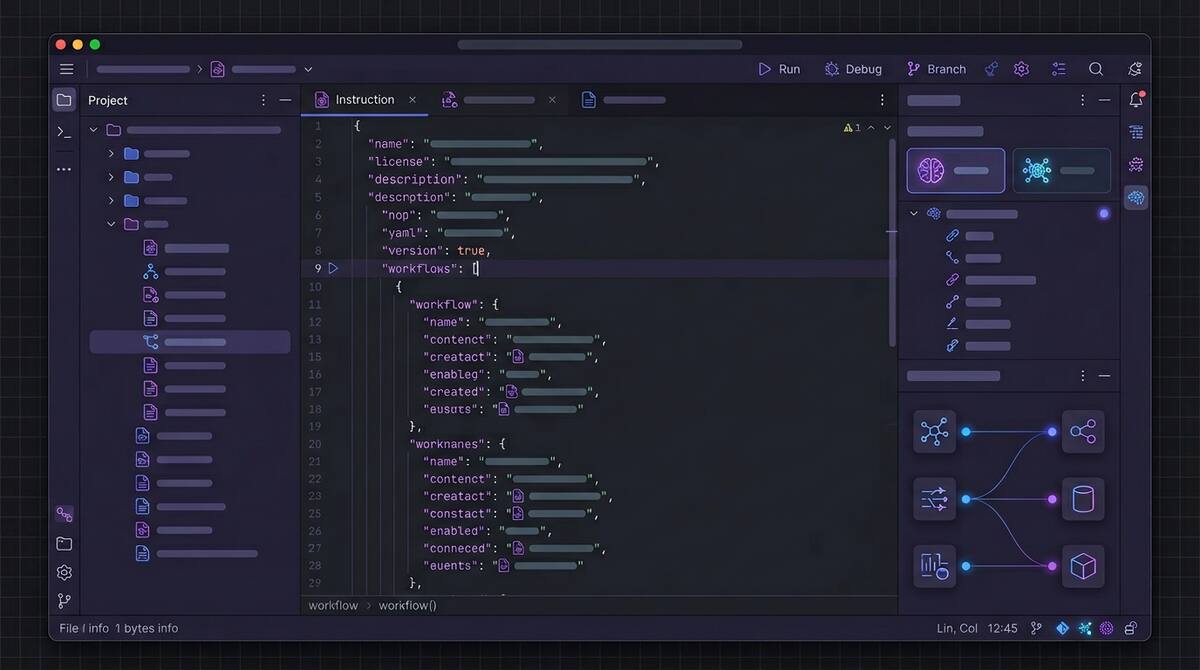
GitHub Copilot Goes Fully Agentic in JetBrains: Hooks, MCP, and Instruction Files
In mid-March 2026, GitHub promoted a major bundle of Copilot agentic capabilities to general availability in JetBrains IDEs, moving key features out of preview for day-to-day use.
The changelog reads like a checklist of what “serious agentic IDE support” now means:
- Custom agents and sub-agents, plus a planning-oriented agent workflow for breaking down complex work
- Agent hooks in public preview, so teams can run custom commands at defined points in an agent session
- MCP auto-approve at server and tool granularity to reduce approval friction when policies allow it
- Automatic discovery of
AGENTS.mdandCLAUDE.mdinstruction files during agent sessions - Auto model selection generally available, with Copilot choosing models based on availability and performance
- An extended reasoning experience for models that expose more explicit thinking, such as Codex-class workflows
Why JetBrains Users Should Care
JetBrains IDEs are where many teams live for deep language support, refactoring, and navigation. Agent features only matter if they meet developers in that workflow, not as a separate tool they resent switching to.

Replit Agent 4 and the Parallel Build Future
Replit’s Agent 4 launch, framed around creativity and speed, includes a product shape that is becoming common in 2026: parallel agent execution across different parts of an application, such as authentication, database work, and UI, with the intent that those streams merge back into a single product.
That is not just a marketing story. It is an architectural bet about how software gets built when generation is cheap and coordination is expensive.

Vercel's Plugin for Coding Agents: Deployment Knowledge as Infrastructure
Vercel’s plugin for coding agents is one of those releases that sounds incremental until you notice what it is really doing: it turns deployment and edge-platform expertise into structured, reusable context that agents can invoke reliably.
According to Vercel’s announcement, the plugin bundles broad platform coverage (on the order of 47+ skills) and includes specialist agents aimed at deployment optimization scenarios, so agents are not guessing their way through framework-specific hosting details every time.

Gemini CLI Conductor Turns Review into a Structured Report
Google’s automated review update for Gemini CLI Conductor is worth paying attention to for a simple reason: it treats AI review as a structured verification step, not as another free-form chat.
Conductor’s new review mode evaluates generated code across multiple explicit dimensions:
- code quality
- plan compliance
- style and guideline adherence
- test validation
- security review
The output is a categorized report by severity, with exact file references and a path to launch follow-up work. That is an important product choice.

VS Code's New Agent Features Show What 'Practical' Actually Means
One of the better AI tooling posts of the month came from Microsoft itself: “Making agents practical for real-world development.” That framing is useful because it captures what the market is moving toward. The interesting releases are no longer just about whether an agent can generate code. They are about whether the agent can survive contact with a messy, real workflow.
VS Code 1.110 is a good example of that shift. The March release adds native browser control for agents, better session memory, context compaction for long conversations, installable agent extensions, and a real-time Agent Debug panel. None of those features are flashy in isolation. Together, they show what “practical” now means in agentic development.

Why AI Testing and Validation Tools Are Becoming the Real Leverage Point
One of the clearest signs that the AI coding market is maturing is that some of the most interesting product launches are no longer about generating code. They are about proving the generated code is usable.
TestSprite 2.1, released in early March 2026, is a good example. The company says nearly 100,000 development and QA teams now use the platform to validate AI-generated code, and the latest release claims a 4-5x faster testing engine, visual test editing, automatic pull request testing, and an especially telling benchmark: AI-generated code initially passed only 42% of comprehensive test cases, but jumped to 93% after one iteration with TestSprite’s testing agent.

Visual Studio's Built-In Azure MCP Server Is a Bigger Deal Than It Looks
Microsoft quietly made one of the strongest enterprise bets in the current AI tooling cycle: Azure MCP Server is now built into Visual Studio 2026.
For teams already living in Microsoft’s ecosystem, this is not just another integration announcement. It is a signal that agentic workflows are moving from optional plugin territory into the default shape of mainstream enterprise development.
Why This Matters
MCP, or Model Context Protocol, is becoming the standard way AI agents connect to tools, systems, and data sources. We already knew that mattered in principle. What changes here is that Microsoft has now embedded an MCP-backed cloud workflow directly inside a flagship IDE.

Cursor in JetBrains and the End of IDE Lock-In
One of the quietest but most important developer-tooling stories of March 2026 is that Cursor is now available directly inside JetBrains IDEs through the Agent Client Protocol, or ACP, registry.
At first glance, this looks like a convenience feature. Cursor users can keep their preferred agent while staying in IntelliJ IDEA, PyCharm, or WebStorm. JetBrains users get access to a popular agentic workflow without switching editors. Nice, but not transformative.

The OpenAI Codex App and What Multi-Agent Development Actually Looks Like
In February 2026, OpenAI shipped a standalone Codex app. The headline is straightforward: it lets you manage multiple AI coding agents across projects, with parallel task execution, persistent context, and built-in git tooling. It’s currently available on macOS for paid ChatGPT plan subscribers.
But the headline undersells what’s actually happening. The Codex app isn’t just a better chat interface for code—it’s an early, concrete version of what multi-agent software development looks like when it arrives as a consumer product. Understanding what it actually does (and doesn’t do) matters for any team thinking seriously about AI-assisted development in 2026.

MCP: The Integration Standard That Quietly Became Mandatory
If you were paying attention to AI tooling in late 2024, you heard about the Model Context Protocol (MCP). If you weren’t, you may have missed the quiet transition from “Anthropic’s new open standard” to “the de facto integration layer for AI agents.” By early 2026, MCP has 70+ client applications, 10,000+ active servers, 97+ million monthly SDK downloads, and—in December 2025—moved to governance under the Agentic AI Foundation under the Linux Foundation. Anthropic, OpenAI, Google, Microsoft, and Amazon have all adopted it.

Cursor vs. Copilot in 2026: What Actually Matters for Your Team
By 2026 the AI coding tool war is a fixture of tech news. Cursor—the AI-native editor from a handful of MIT grads—has reached a $29.3B valuation and around $1B annualized revenue in under two years. GitHub Copilot has crossed 20 million users and sits inside most of the Fortune 100. The comparison pieces write themselves: Cursor vs. Copilot on features, price, workflow. But for teams that have adopted one or both and still don’t see clear performance benefits, the lesson from 2026 isn’t “pick the winning tool.” It’s that the tool is often the wrong place to look.

Prompt Injection Is Coming for Your Coding Agent
In early 2026, a critical vulnerability in Anthropic’s Claude Code made the rounds: CVE-2026-24887, which let an attacker bypass the user-approval prompt and execute arbitrary commands via prompt injection. Around the same time, researchers demonstrated prompt-injection-to-RCE chains in GitHub Actions—an external PR could trigger Claude Code in a workflow and, with a malicious payload in the PR title, achieve code execution with workflow privileges. Real incidents have shown agents exfiltrating SSH keys and credentials from hidden instructions in docs or comments. NIST has called prompt injection “generative AI’s greatest security flaw,” and it’s #1 on the OWASP LLM Top 10. If your team is rolling out AI coding assistants or agentic workflows, this isn’t theoretical. It’s the threat model you need to plan for.

GitHub Agentic Workflows Are Here: What They Change (and What They Don't)
In February 2026, GitHub launched Agentic Workflows in technical preview—automation that uses AI to run repository tasks from natural-language instructions instead of only static YAML. It’s part of a broader idea GitHub calls “Continuous AI”: the agentic evolution of continuous integration, where judgment-heavy work (triage, review, docs, CI debugging) can be handled by coding agents that understand context and intent.
If you’re weighing whether to try them, it helps to be clear on what they are, what they’re good for, and what stays the same.

When AI Slows You Down: Picking the Right Tasks
One of the main reasons teams don’t see performance benefits from AI is simple: they’re using it for the wrong things.
AI can make you faster on some tasks and slower on others. If the mix is wrong—if people lean on AI for complex design, deep debugging, and security-sensitive code while underusing it for docs, tests, and boilerplate—then overall you feel no gain or even a net loss. The tool gets blamed, but the issue is task fit.

Start Here: Three AI Workflows That Show Results in a Week
When a team has tried AI and concluded “we don’t see the benefit,” the worst move is to push harder on the same, vague usage. A better move is to pick a few concrete workflows where AI reliably helps, run them for a short time, and measure the outcome. That gives the team something tangible to point to—“this is where AI helped us.”
Here are three workflows that tend to show results within a week and are a good place to start for teams struggling to see performance benefits from AI in their software engineering workflows.

The Documentation Problem AI Actually Solves
I’ve spent the past several weeks writing critically about AI tools—the productivity paradox, comprehension debt, burnout risks, vibe coding dangers. Those concerns are real and important.
But I want to end this series on a genuinely positive note, because there’s one area where AI tools deliver clear, consistent, unambiguous value for engineering teams: documentation.
Documentation is the unloved obligation of software development. Everyone agrees it’s important. Nobody wants to write it. The result is that most codebases are woefully underdocumented, and the documentation that does exist is often outdated, incomplete, or wrong.

Your AI-Generated Codebase Is a Liability
If a quarter of Y Combinator startups have codebases that are over 95% AI-generated, we should probably talk about what that means when those companies get acquired, audited, or sued.
AI-generated code looks clean. It follows conventions. It passes linting. It often has reasonable test coverage. By most surface-level metrics, it appears to be high-quality software.
But underneath the polished exterior, AI-generated codebases carry risks that traditional codebases don’t. Security vulnerabilities that look correct. Intellectual property questions that don’t have clear answers. Structural problems that emerge only under stress. Dependency chains that nobody consciously chose.

Comprehension Debt: When Your Team Can't Explain Its Own Code
Technical debt is a concept every engineering leader understands. You take a shortcut now, knowing you’ll need to come back and fix it later. The debt is visible: you can point to the code, explain what’s wrong with it, and estimate the cost of fixing it.
AI-generated code is introducing something different—and arguably worse. Researchers have started calling it “comprehension debt”: shipping code that works but that nobody on your team can fully explain.

Vibe Coding: The Most Dangerous Idea in Software Development
Andrej Karpathy—former director of AI at Tesla and OpenAI co-founder—coined a term last year that’s become the most divisive concept in software development: “vibe coding.”
His description was disarmingly casual: an approach “where you fully give in to the vibes, embrace exponentials, and forget that the code even exists.” In practice, it means letting AI tools take the lead on implementation while you focus on describing what you want rather than how to build it. Accept the suggestions, trust the output, don’t overthink the details.

AI Code Review: The Hidden Bottleneck Nobody's Talking About
Here’s a problem that’s creeping up on engineering teams: AI tools are dramatically increasing the volume of code being produced, but they haven’t done anything to increase code review capacity. The bottleneck has shifted.
Where teams once spent the bulk of their time writing code, they now spend increasing time reviewing code—much of it AI-generated. And reviewing AI-generated code is harder than reviewing human-written code in ways that aren’t immediately obvious.

GitHub Copilot Agent Mode: First Impressions and Practical Limits
GitHub Copilot’s agent mode represents a significant shift in how AI coding assistants work. Instead of just suggesting completions as you type, agent mode can iterate on its own code, catch and fix errors automatically, suggest terminal commands, and even analyze runtime errors to propose fixes.
This isn’t AI-assisted coding anymore. It’s AI-directed coding, where you’re less of a writer and more of an orchestrator. After spending time with this new capability, I have thoughts on what it delivers, where it falls short, and how to use it effectively.
Handling Callbacks with a Depth-First Tree in JavaScript
One of the hardest things to do in JavaScript when working with complex data structures and a callback oriented platform is to know for sure when all of your callbacks have been fully executed. This issue came to light when working with a MongoDB datastore that was being used to store an infinitely-deep nested menu structure.
This menu structure could be visualized as being a tree. In order to get the all of the needed menu items from this tree, a depth-first traversal of the tree was determined to be the easiest to track. Since I typically try to write the least amount of code possible to solve a problem, I started out with a set of simple callbacks that worked perfectly as long as there was only one menu-item that had any children. As soon as I had multiple children to traverse, the timing of the execution of the final callback happened well before it should have as well as occurring again at the correct time, causing some unexpected results.
Write Your Own Compass Mixin
As a developer working with CSS, one of the things that I find a bit troubling is the amount of style definitions that I have to repeat over and over to achieve the design I desire. One of the basic tenets of software development is to utilize the DRY principle, otherwise known as Don’t Repeat Yourself. Fortunately, when you implement Compass and SASS in your project to generate your CSS, you have a way to avoid copy-paste programming.
Using The Ampersand With Compass
While much of working with Compass to generate the CSS for your site is straightforward, there are a few ways to use Compass the provide great power, but are not as easy to understand at first glance. This article discusses one such way, hopefully making it easier to understand.
The operator that we will be looking at first is the & operator. The & as part of a selector in Compass allows you to take the entire selector string at a higher nesting level than the & currently resides upon, and replace the & with that selector string. Typically, when this precedes a selector with a space between the & and the selector, it would operate normally as if the & were not present. However, if you remove the space, it allows you to select elements with multiple classes assigned to them as part of a single selector token.
Compass Makes Writing CSS Fun Again
One of the things that has always annoyed me about web development is that writing CSS generally becomes a task that has a major lack of the features that you would expect in a programming language, even one as simple as JavaScript. These features that would be wonderful to have when working with CSS are the ability to use variables to define a set of basic colors that are in use across the site in one place, and then use the variable name throughout the stylesheet.
Optimize Wide To Narrow
If you consider the path that a user takes through your website from landing page to successful conversion, you can think of the number of users that make it to each point along the way to a successful conversion as similarly shaped to that of a funnel. In a typical setup, you may have a very small percentage of your users make it to a successful conversion, but there are several areas along the way that either improve the chances the user will convert or decrease those chances.
2 Ways To Find Current Directory in PHP Without Regular Expressions
There comes a time when you need to find the current directory in PHP, test to see if it is the directory that you expect it is, and take an action based on the test results. Obviously, the easiest way to get the current working directory in PHP is getcwd(). However, parsing the output of this function can provide some interesting challenges.
While it is trivial to do this sort of search with a Regular Expression, I tend to look for a solution that is easier to understand its functionality without reaching for the reference books. As a result, I would typically use one of the two methods below. One thing to note is that in each scenarion, any directory name in the path will match, not just the current directory. This can be easily updated to only match the single current directory the script is executed from.
Run Multiple Python mod_wsgi Websites With Apache On Windows
Yes, this sounds completely crazy, but there is a semi-valid need to do this, unfortunately. However, when you need to run multiple Python websites on Apache on Windows via mod_wsgi, it quickly becomes apparent that using the typical <VirtualHost> configuration options do not work as expected.
When you try to do it with a <VirtualHost> configuration, you will be unable to setup a separate WSGIPythonPath configuration setting per virtual host, as that configuration directive is not allowed within a <VirtualHost> node. Instead, you have a single WSGIPythonPath for your entire Apache instance.
Top 5 Reasons To Test Your Website Across Browsers
I would hope that those of you taking the time to read this posting would have some idea of why you should perform some level of testing of the software and websites you create. However, I am keenly aware that some management types don’t always understand the importance of testing until an untested “feature” appears in the wild, frustrating all that run across it.
- Ensure Cross Browser Compatibility- Unless you develop a website for internal usage only, where you are able to successfully restrict users to a specific version of a specific browser, Cross Browser Compatibility ensures your site functions well for the greatest number of users.
- Detect Shallow Errors - Simply loading a website for a quick look in all the major browsers allows you to find 95% of all the browser compatibility errors for your site.
- Discover Performance Issues - Typically, older and less-advanced browsers, such as Internet Exporer, and the older versions of Chrome, Firefox, and Safari are unable to process the CSS, JavaScript, and HTML that the most recent and more-advanced versions of these browsers handle with ease.
- Prioritize Backwards Compatibility - I have heard countless times that we need to make sure this website supports browser versions that were released more than a decade ago. Instead of just making excuses for why you can’t support them, testing your site in the older browsers first allows you to put a more accurate time estimate that supporting these browsers will require. Its amazing to see how the requirements for supporting old and outdated browsers evaporate as the time and cost estimates begin to add up.
- CYA - Whether it is your internal customer that is requesting the new website or you are an agency working with another individual or business for a new website, the last thing you want to have happen is that the customer open the site when it goes live in a browser you have not tested yet and has major issues. Establish ahead of time what the list of supported browsers will be and make sure to test all of them. If you have time, test the next most popular browsers or versions of popular browsers.
While testing your website may not be the most exciting part of web development, it definitely will save you time and money in the long run.
When Is Enough CSS Enough?
One of the major pushes in web development today is to try to do as much of the styling of a website as is possible from within the CSS of the site. The idea behind this is that when you do so, you remove styling responsibilities from your JavaScript and HTML content, resulting in a much better separation of concerns. The other aspect of this is that CSS styling is typically handled in a more native fashion in the browser as compared to what you can accomplish via Javascript.
Don't Be a Dunce, Save Your Orders
There are some gotchas that you think that you will always see coming. One such gotcha is the need to save an object to the datastore to persist any changes you may have made to that object.
While it seems like a reasonable concept at the base level, there are times that the need to save an object completely escapes your mind. It seems that for many non-developers, this occurs when they have been working a long time on a file, typically a Microsoft Word document, shortly before their computer blue screens, losing all of their work.
Avoid 'Persistent storage maximum size reached' in Firefox
One of the nice tools out there for tracking down issues that your website’s visitors are having is TrackJS. We started noticing the other day that we were getting overwhelmed by errors with the text Persistent storage maximum size reached for our Magento site. When we looked further into the issue, it quickly became obvious that all of the errors originated from a single user that was running Firefox.
It quickly became obvious that there was a single user that had exhausted their localStorage resources on their browser, but why was it only one user? Well, as it turns out, there is one browser that allows the user to set the amount of space that localStorage can use, and that one browser is Firefox.
Authorize.Net Directpost is Overly Complex
One of the necessary evils that every ecommerce website that wants to accept credit card transactions must deal with is some sort of payment processing company. It just so happens that Authorize.net is one of the largest payment processors around, and they allow you to choose from a few different ways to integrate their payment processing functionality into your website. One of their ways is via DirectPost, which allows an eCommerce website to process a credit card transaction without the credit card information ever being sent through the website’s servers.
Write Bulletproof JavaScript
While display issues have long been the bane of a web developer’s existence, current web development projects tend to have much more client side interactivity, focusing ever more attention on the reliability and resilience of the JavaScript you write to deliver the complete interactive experience. Many things can cause unexpected errors in your carefully crafted code.
However, there are a few things that you can do to make sure that your site degrades gracefully and still provides a basic level of functionality when something in the browser goes wrong. The following snippet of code illustrates a few best-practices for defining your JavaScript namespaced modules.
JavaScript Can Have An Interesting Interpretation of Order
There is an interesting little quirk with the way in which JavaScript decides which function it should execute next. You see, while the JavaScript engine has a single thread of execution, it creates the illusion of multiple simultaneous processes running at once by utilizing a queue of functions to execute. This means that every time you make a call to a function in your JavaScript, there is no absolute guarantee that it will be the next piece of code run, as there may have been other events triggered that beat your custom function onto the execution queue.
Avoid Custom mod_rewrite Rules with Varnish
When you are working on a website project running PHP on Apache, and you need to redirect a single device type to a different URL than the rest of your visitors, I’m sure the first thought that many of you would have is to utilize Apache’s mod_rewrite. It is a highly flexible URL rewriting engine that would allow you to rewrite with almost any combination of requirements to a just as complex set of URLs depending on the situation.
Web Browser Font Rendering is the New Edge Case
In the early days of the web, designers and developers relied upon visitors to the sites they were developing to have their chosen font pre-installed on their computers so that their web browser of choice would be able to properly render the selected font. As quickly became obvious, there is a wide variety of fonts installed across all computers worldwide, so this was not an achievable scenario, especially when print level typography was desired. Unfortunately, at that time, the solution was to put all of the text in an image, ensuring the text would display exactly as the designer had specified, but hiding the same text from search engines and blind users.
LocalStorage and Safari Weirdness
One of the technologies that has been intriguing to me for a while has been LocalStorage on the web browser. One of my first adventures into using persistent storage other than cookies on a web browser was the short-lived HTML 5 standard of the webSQL database. It turns out that it was simply a SQL Lite database that was accessible via JavaScript in all the WebKit browsers as well as Firefox. However, Internet Explorer did not implement this functionality, and the webSQL standard was soon dropped from the HTML 5 standard itself, leaving only the LocalStorage key/value storage mechanism.
Visual Studio 2013 EditorPackage Did Not Load Correctly
One of the things that continually conspires to drive me away from Microsoft products and towards those that are free and open source are the random bugs that pop up from time to time in their incredibly expensive software. The other day, I had to restart my Windows development system and discovered I had an issue when I tried to start Visual Studio 2013. When Visual Studio tried to start and open any files that had been previously open or that I wanted to open for the first time, I got this error message: The ‘Microsoft.VisualStudio.Editor.Implementation.EditorPackage’ package did not load correctly.
IE 10 Text Box Clear Button Covers Text
When working on a project that required quantities to be entered into a text box and displayed aligned to the right of the text box, I ran across a peculiar issue. If the text box had focus, a new button appeared in the text box that would allow the user to completely clear the contents of the text box. When focus moved to another element on the page, the clear button disappeared, but part of the right side of the text that was previously displayed in the text box disappeared as well. If you were to inspect that element’s value via JavaScript, you would discover that the data was still intact, and that only its display was affected.
Links Not Working? Check AdBlock Plus
It turns out that the issues with useForcedLinkTracking are not isolated just to Safari’s popup blocker. Unfortunately, one of the most popular browser for both Chrome and Firefox, AdBlock Plus is subject to this issue as well.
One of the things that the AdBlock Plus plugin does is attempt to intercept any and all link traffic to determine whether it was created from an actual mouse click or if it was triggered through JavaScript as part of a marketing campaign. When used on a site with Adobe’s SiteCatalyst analytics with useForcedLinkTracking turned on and target="_blank" set in the hyperlink, you will trigger the issue. If you run into this issue, you can fix it by:
Write Software for People, Not Computers
Throughout a normal day, I end up reading a lot of information about current issues in technology, and today is no different. There was a debate raging about whether or not high-level math was required for programmers that was sparked by this article by Sarah Mei Programming is not math. While it is an interesting topic, and, surprisingly, I mostly agree with Sarah on this issue, that is not the most important portion of her post. The important part is instead a quote from Structure and Interpretation of Computer Programs from MIT Press, and is as follows:
The Easiest Way to Create A Solution That Works
The easiest way to create a solution that works…is to do it right the first time. Yes, this is a bit of a cop-out, but it turns out to be an important factor to keep in mind when you are tempted to come up with a quick and dirty solution for a problem that does not follow established best practices and is likely to have code quality issues later.
I have run across many sections of code that I or other developers have written in the past that we thought were “good enough” at the time it was written, yet, I was revisiting the code because we discovered a bug in it. Many times, this code had an issue that would have been trivial to fix at the time it was written, if it were only found. It seems that as a developer, we tend to find the least sufficient solution that will solve the immediate problem we are experiencing instead of finding an optimal solution that will be easily maintained months and years after it was written.
Ignore Whitespace Not Available in BitBucket Pull Requests
When looking for an online location to use as the host for source code, many people by default look at GitHub, as it seems to be the most well-known option out there, and is free for open source projects. However, if you would like your source code to be kept private, or would rather use Mercurial instead of Git, GitHub may not be the place for you. Instead, I would suggest BitBucket as your source code repository provider.
Always Use Automated Integration Testing
QA or Quality Assurance of a software project is often the area of software development that is most neglected. Typically developers avoid software testing like their lives depended on it. While a basic level of testing is required for a single scenario to validate that your code “works”, the level of testing that is required to ensure that all users have a good user experience across all targeted platforms is something that a developer seems to think is beneath them.
AddThis Can Cause Your Site To Not Load
Over the last few days, I have run across quite a few websites that seem to never finish loading. After waiting for 20 seconds or more, I give up, realizing that whatever content was on the site wasn’t worth it anymore for me to stare at a blank white browser until it loaded however much longer. Unfortunately for those websites, they are losing traffic that they will never get back.
== and === in JavaScript and HTML Input Elements
If you read any current information about best practices in JavaScript, you will typically find the following advice somewhere in the list of things to do.
Always use
===and!==while avoiding==and!=
While I will never argue against this advice, there are a few things that a developer shoule realize when using === and !== instead of == and !=.
===and!==first do a check of the data type of the two objects you are comparing. JavaScript never forces you to explicitly define the datatype for an object you are creating as it will automatically assign one based on the contents of the object and how it was created.- The output of all of the Math functions produce integers or floats as the datatypes for the resultant numbers. For example,
Math.floor(10.39438)will produce10. - When retrieving the value of any
selectorinputortextareais always return as a string. This means that even though the value of the string may be a perfectly good number, it will never match a number data type. For example"10"is not equal to10when using the===.
You should always use === and !== instead of == and !=, but you should make sure you understand the datatypes you are dealing with so that your comparison works as expected without any surprises at runtime.
Always URL Encode your Cookies
One of the things that you tend to forget about when dealing with websites that typically only cater to English-speaking visitors is how to properly deal with Unicode throughout the site. It turns out that some browsers handle Unicode support in different sections of the browser differently.
For instance, it turns out that when you want to store Unicode data as the value in a cookie, your success may vary across browsers. When I tested this with the Euro symbol, €, it worked without a hitch in Chrome, Safari, and Internet Explorer. However, in Firefox, it was stored as an empty string. In order to correct the issue, you can use encodeURI() on the Unicode character to get the ASCII version of the Unicode character, and then store that in the cookie. Fortunately, this seems to work without issue across all of the major browsers.
Code Style Guides - Consistency is King
There have been countless flame wars online about the details of the guidelines that appear in various Code Style Guides. Some of the most famous are the tabs versus spaces arguments, whether or not to put curly brackets {} each on their own line, whether you should even use the curly brackets {} for one line actions in if statements.
I am here to say that the only thing that matters in the style of your source code, other than syntactically correct code, is consistency. When a codebase has internal consistency, developers new to it are more easily able to pick up the meaning of the source code contained within instead of having to first understand why the different styles in different sections matter, or not.
Defensive Development Failure
In the past, I have argued that devensive development is a useful tool to ensure unexpected exceptions are not introduced into a piece of software as well as ensuring that the error conditions are handled in an appropriate manner. Unfortunately, if defensive development is implemented poorly, it achieves none of its goals and can cause errors and exceptions to occur. One example that I found while reviewing some code recently is below:
5 Ways To Do Responsive Web Design Poorly
Responsive Web Design is a website design methodology that seeks to adapt the way a website is displayed depending on the capabilities of the device that is displaying the site. Frequently Responsive Web Design is used solely to adapt to the screen resolution of various devices, but it has other applications that are yet to have full browser support, such as delivering smaller graphics automatically for low-bandwidth connections, etc. As with everything, some people do it well, while others, well, they do it poorly. Below, I show my Top 5 Ways to do Responsive Web Design Poorly.
Defensive Development - Fail Fast or Go Home
Defensive Development is a programming practice that is frequently misunderstood, but is nevertheless a critical practice to follow when working in many environments. I have seen articles written that argue that defensive development simply causes nonsensical null checks to be written, and as a result of seeing people writing bad code defensively, argues that no one should practice defensive development. There are other articles that, like many things in software development, argue that you should always use defensive development for everything.
Avoid SiteCatalyst's useForcedLinkTracking and target="_blank"
All sites rely upon some third party analytics software to track at the very least the number of visitors to a site. Many sites use Google Analytics, which provide much more information that just the number of visitors. Another option that some of the bigger sites use is Adobe Analytics, aka SiteCatalyst to enable more custom tracking options that are not evident through the Google Analytics interface.
One feature of SiteCatalyst is that it allows you to set an option useForcedLinkTracking that will track every link on your site for clicks whether or not you have setup custom tracking for the links or not. Effectively what the code does is create a JavaScript event handler to intercept all click events on the <a href="http://url.com">Link</a> hyperlinks. Once they are intercepted, SiteCatalyst sends its tracking information to its servers and then procedes to attempt to make sure that the link functions properly. Unfortunately, in some versions of the SiteCatalyst code, it attempts to create a synthetic click event that works in many cases. However, if you are using Safari with the popup blocker turned on, and a target="_blank" in the hyperlink, then it will trigger the popup blocker, which simply ignores the click, and the user sees nothing happen at all. In order to fix it, hopefully the latest version of the SiteCatalyst code will handle it, turn off useForcedLinkTracking, or, as the very last resort, convert the <a /> links to another type of element and use JavaScript to open the new window manually when listening for the click event on the new element. It seems this works all the time, but it will prevent SiteCatalyst from tracking those clicks.
Window.Open Causes Browser Compatibilty Issues
One of the things that always annoys me as a web developer is when native browser functions that are accesible from JavaScript do not share the same function signature. One perfect example of this is the window.open function. When you are using non-Microsoft browsers such as Firefox and Chrome, you are able to make a call something like this window.open(url, 'window name', 'dimensions or other settings');. The window name parameter is important because it allows you to open multiple links in the same external window/tab. However, when using Internet Explorer, especially Internet Explorer 8 and older, you can only use window.open(url);. If you try to use the first type of function call, you get a very ambiguous error message in the browser that doesn’t tend to show exactly where the error occurred.
Responsive Images with Picturefill 2.0
Responsive Web Design seems to be the way that the majority of websites will be developed in the near future. For a while, everyone was creating a separate website that catered to mobile devices in addition to the main website that desktop browsers were able to access. Web Developers and UX Designers quickly discovered that this was a less than ideal approach as it required maintaining two separate websites, and the mobile website tended to remove data that was visible on the desktop version of the site.
Avoid SQL Deadlocks -- Break Up Large Updates
Deadlocks in SQL occur when one query locks certain rows, frequently for updates, and a second query tries to update those same rows. The second query will then create an error as those rows are unable to be updated since they are in the middle of an update from another query. One of the surefire ways to create a slow running update query like the first query above is to hava a single update statement that will update a large number of rows at once.
Why Use AddThis.com Sharing Buttons
AddThis.com produces a bit of JavaScript that enables website owners to quickly and easily add social sharing buttons/links to their website. In addition to allowing users to easily share your content socially, they also provide analytics information about what content is shared via which method, giving a greater insight into visitor behavior.
However, just because it provides these benefits to websites does not necessarily mean that it is a good tool to implement on your website. If you are concerned about the performance and the total payload size for your website, then you may have some reservations about the AddThis sharing buttons. On one site I was looking at, when all of the AddThis JavaScript, CSS and Images were combined, it took up 250kB. When you consider that this is a responsive website, and many mobile users only get 300MB of data before they get to overage fees, you hope that there are other ways to implement the sharing to the major social sites.
Always Namespace Variable Names in JavaScript
After running into a few issues with variable naming collisions over the past few days, it drives home how much we all should be namespacing our variable names in JavaScript. When writing JavaScript code that is only in use on your own website, you should still always namespace your variables. If you are writting a JavaScript library that will be in use on any website a user puts it on, namespacing your variable names is a minimum requirement.
MySQL Deadlocks with Magento
One of the things that Magento, and specifically the Zend Framework provide developers is the ability to not have to think about database details as it should just handle all that for you. When it becomes obvious that there is a problem somehow with the production database getting some sort of SQL errors, its time for the developers to start caring about the implementation and architecture details of the database.
How Not to Use SQL Transactions
SQL Transactions allow you to isolate atomic operations so that you can ensure that a third party does not update the data affected during the atomic operation protected by the transaction. An example of an operation that you would want to protect with a SQL Transaction would be transferring funds from one bank account to another. The first step of this operation would be to subtract the funds from bank account A. Once complete, we would then add the same amount of funds to bank account B. Assuming nothing fails, everything works as expected. However, if there is other database activity at the same time or an error occurs in one of the queries, without a transaction you could have the funds removed from bank account A or added to bank account B, but not both, causing a major balancing issue with your bank accounts.
Unexpected Results with SQL Server and Python pyodbc
Using the Microsoft SQL Server Management Studio (SSMS) with SQL Server hides many of the API complications that can sometimes arise when working with SQL Server. One specific example would be when using Python on Windows with the pyodbc driver. If you have an update statement that performs a simple update to a status column and a datetime column, you can have some unexpected results.
Lets say that the table you are running the update against has a before update trigger and an after update trigger configured on it. Both triggers effectively do the same thing, as they log the current affected row to a second, logging table, peforming separate insert statements to do so. When running this update statement in SSMS, it seems to behave as you would expect, with a single result set returned, but listing three sets of (1 row updated) for every row that was updated. When using Python’s pyodbc driver to run this exact same SQL update statement, it shows that only 1 row was updated when there should have been many updated.
SQL Server Transaction Log Exponential Growth
There are few things more frustrating than seemingly random issues that crop up in software when configuration changes occur. One such occurrence is when you migrate your databases from Microsoft SQL Server 2012 Standard Edition to Microsoft SQL Server 2012 Enterprise Edition with High Availability and the transaction log suddenly begins to experience exponential growth without ceasing.
It turns out that when using Python and pyodbc on Windows to access SQL Server, there can be some unpredictable results. If you have a long-running SQL query that you are running from Python and pyodbc, when you are running it against a Microsoft SQL Server 2012 Standard Edition database, it will fail and time out silently, making Python think that the query succeeded. On the other hand, if you run the same long-running SQL query from Python and pyodbc in Microsoft SQL Server 2012 Enterprise Edition with High Availability, it will fail and rollback the query, but will fill the transaction log.
WordPress and the Genesis Framework
It turns out that working with WordPress and the Genesis Framework is quite a bit different than working with Magento or other blogging platforms. Ghost is a blogging platform that runs on NodeJs that utilizes Handlebars templates for the layout of the content on the website itself. Similarly, Magento uses its own templating system in .phtml files for laying out content on the screen. However, WordPress, and specifically the Genesis Framework have taken this simple templating concept and added quite a few layers of abstraction to come to the end result. This does give WordPress a great deal of extensibility for the various plugins that have been written for WordPress. Unfortunately, this makes for a steeper learning curve for developers working on a WordPress website.
Sticky Menus and Mega Drop Down Menus
There are time when UX best practices for the web don’t always provide the best experience for the users of a website. One example would be Sticky Menus and Mega Drop Down Menus.
A Sticky Menu is a navigation bar that is stuck to the top of the screen when scrolling, usually with position:fixed;top:0; set on the menu itself. This ensures that no matter how far the user scrolls on the page, the site’s navigation is always available to the user without having to scroll to the top of the page.
Hover Effects in JavaScript?
One of the things that can be annoying when looking at someone else’s code is when a more complex technology is used to solve a problem that can be handled more simply with another method.
An example of this is when you utilize JavaScript to implement a hover effect on some elements. I know of one scenario when you would need JavaScript to trigger a hover effect, and that would be when you want to trigger the hover effect with a touch event. However, in this case, the elements that would be affected by this hover effect are hidden on any mobile device, so the touch events would be unneeded for this hover effect.
JavaScript Templating
Many times it becomes useful to be able to make an AJAX request for some data, insert it into some HTML that is already on the client, and then display it to the user. There are a few ways to implement this, each approach has its benefits and drawbacks.
String Concatenation
Possibly the simplest way to accomplish the templating in JavaScript is to use simple string concatenation with ‘+’. This is the approach that I see many newcomers to JavaScript use in their code, as it is the simplest to implement. However, it does have a major drawback in that this method has the worst performance of all, especially in older versions of Internet Explorer. This could be implemented as below:
301 Redirecting in Varnish
In Magento, you can set your secure and non-secure URLs explicitly. This works as expected in most cases, but can cause some issues when you have to specify full URLs or need to make any AJAX requests. When using the Nexcess Turpentine extension to enable Magento and Varnish to work together and you wish to only support traffic at www.example.com and not example.com, you would need to enable the setting in the Turpentine module to normalize the host.
Launching a Redesign of a Website
Over the last few months, I have been working on a major redesign of an existing Magento website. One of the major goals of the redesign was to take a legacy desktop-only website and upgrade it to take full advantage of Responsive Web Design so that customers could equally utilize mobile and desktop devices to browse and purchase products.
For a site that had seen only minor updates over the last 5 years, this redesign represented a major change visually and navigationally from the previous site. Based on the history of the site, the development team was optimistic that the redesign would be well-received, but were suprised by a few things that came up in the feedback we saw.
Categories
Tags
- 100pounds
- 2020
- Acp
- Adblock-Plus
- Adoption
- Agentic
- Agents
- Agile
- Ai
- Ai-Agents
- Amazon
- Apache
- Apple
- Architecture
- Audit
- Authorize-Net
- Automation
- Azure
- Benchmarks
- Bing
- Bingbot
- Blog
- Book-Reviews
- Books
- Burnout
- Business-Tools
- Cache
- Career
- Chatgpt
- Chrome
- Cicd
- Claude
- Cloudflare
- Code-Quality
- Code-Review
- Codex
- Coding
- Coding-Agents
- Compass
- Conversion
- Copilot
- Css
- Culture
- Cursor
- Cve
- Deployment
- Design-Patterns
- Developer-Experience
- Developer-Tools
- Developer-Velocity
- Development
- Disqus
- Docker
- Documentation
- Enterprise
- Fine-Tuning
- Firebase
- Firefox
- Full-Stack
- Future-of-Work
- Gemini
- Genesis-Framework
- Getting-Started
- Ghost-Tag
- Github
- Github-Copilot
- Githubpages
- Google-Slides
- Google-Workspace
- Governance
- Helper
- Hiring
- How-Not-To
- How-To
- Html
- Hugo
- Ide
- Infrastructure
- Integration
- Internet-Explorer
- Interviews
- Iphone-6
- Javascript
- Jekyll
- Jetbrains
- Jquery
- Junior-Developers
- Knowledge-Management
- Laravel
- Leadership
- Legal
- Lessons-Learned
- Llms
- Local-First
- MacOS
- Magento
- Magento 2
- Magento2
- Management
- Mcp
- Meetings
- Mental-Health
- Mentorship
- Metr
- Metrics
- Microsoft
- Models
- Moltbot
- Multi-Agent
- Mysql
- Netlify
- Nginx
- Nist
- Nodejs
- Open-Source
- Openai
- Openclaw
- Orchestration
- OSX
- Parallelization
- Performance
- Personal
- Php
- Policy
- Presentations
- Process
- Product-Development
- Productivity
- Programming
- Prompt-Injection
- Protocols
- Pull-Requests
- Python
- Quality
- Rant
- Remote-Work
- Replit
- Research
- Responsive-Web-Design
- Retrospective
- Roi
- Safari
- Sales
- Scrum
- Security
- Senior-Engineers
- Series
- Sitecatalyst
- Sota
- Sql
- Sql-Server
- Standards
- Tasks
- Teams
- Technical-Debt
- Testing
- Tier-Pricing
- Tips
- Tmobile
- Tools
- Trust
- Unittest
- Ux
- Validation
- Varnish
- Vercel
- Verification
- Vibe-Coding
- Visual-Studio
- Vs-Code
- Web-Development
- Windows-7
- Windows-Vista
- Woocommerce
- Wordpress
- Workflow
- Workflows
- Xml